Knowledge Base
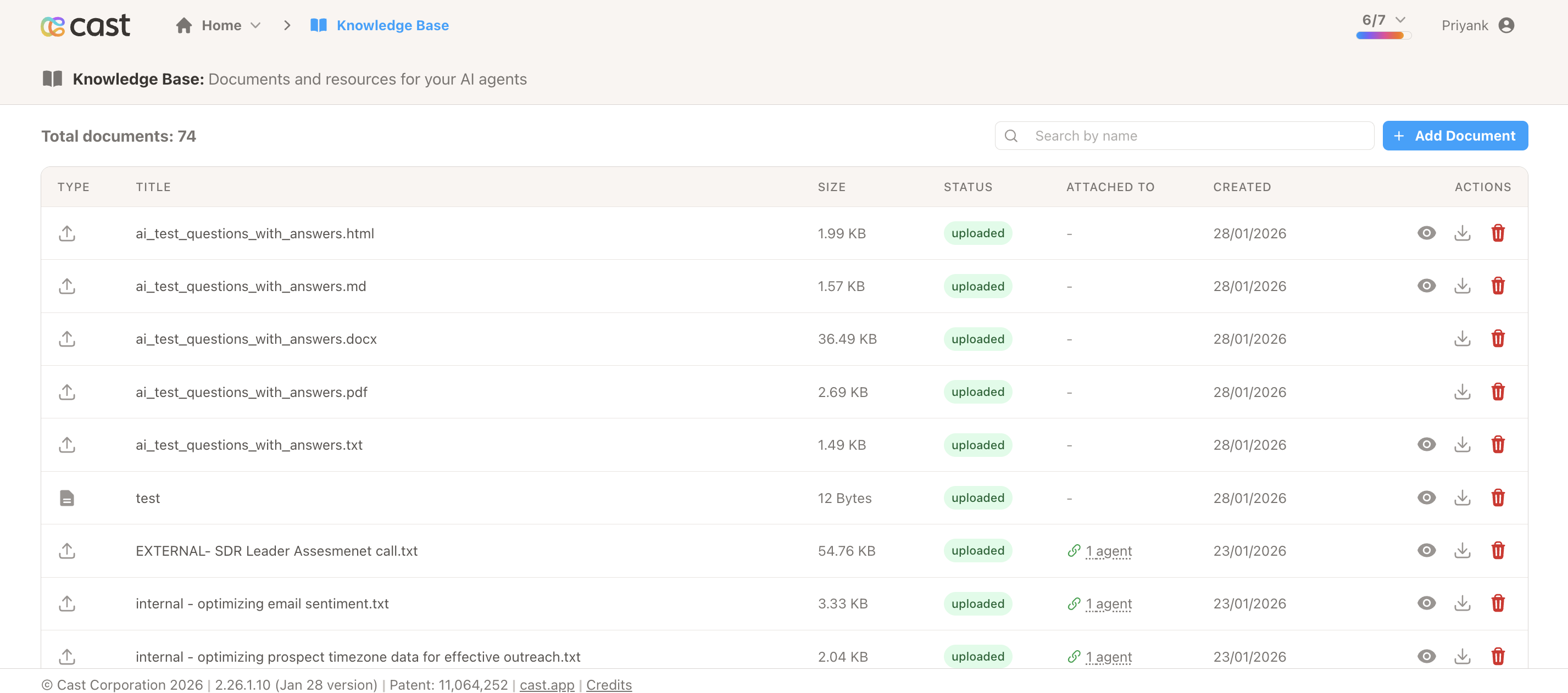
Knowledge Base enables you to create, manage, and attach documents to AI agents for enhanced contextual responses. You can create documents from multiple sources (URLs, files, text, website crawls) and attach them to agents to provide accurate, context-aware answers based on your organization’s specific knowledge and documentation.
What you can do:
- Create documents from URLs, files, text, or website crawls
- Attach documents to AI agents for contextual knowledge
- Automatically update agents when documents are refreshed
- Manage all AI knowledge in one centralized location
Access: Navigate to Knowledge Base using the book icon in the top navigation bar.
Document Source Types
- Single URL: Extract content from a specific webpage
- Website Crawl: Scrape multiple pages from a website with customizable patterns
- File Upload: Upload existing documents (PDF, TXT, MD, HTML, CSV, JSON)
- Inline Text: Create documents by typing or pasting content directly
See Document Types for detailed information on each type.
Attaching Documents to Agents
Setup required:
- Go to Ask Me Anything section and click Add Custom Agent
- Contact support@cast.app to configure your agent ID
- Once agent ID is configured, the Knowledge Base Documents section will appear
You can then attach documents to agents in Project Settings under Ask Me Anything → Agent Personas → Knowledge Base Documents. When you refresh a document, all attached agents are automatically updated.
See Getting Started for step-by-step instructions or Agent Integration for detailed information.
Managing Documents
Search, preview, download, refresh, and delete documents from the Knowledge Base page.
Supported file formats: PDF, Markdown, Plain Text, HTML, CSV, JSON
Key limitations: 10 MB file size limit, 100 pages max for crawls, URLs must be publicly accessible
See Managing Documents for complete details on document operations.
Common Use Cases
Customer Support: Create FAQ documents for consistent, accurate answers
Product Documentation: Crawl documentation sites for instant access to specifications and features
Company Policies: Upload policy documents for quick policy lookups
Sales Enablement: Create documents with pricing and features for up-to-date sales information
Documentation Sections
- Getting Started: Step-by-step guide to create your first knowledge document
- Document Types: Detailed information on each document source type
- Managing Documents: Document operations including search, preview, refresh, and deletion
- Agent Integration: Attaching documents to AI agents and managing agent knowledge
- Quick Reference: Fast-access reference with commands and status codes
- FAQ & Troubleshooting: Common questions and solutions
Support
- Email: support@cast.app
- FAQ: Knowledge Base FAQ