lc_rings_*
Display hierarchical or comparative data in concentric ring format. Ideal for showing multiple data points with emphasis on top performers through ring positioning.
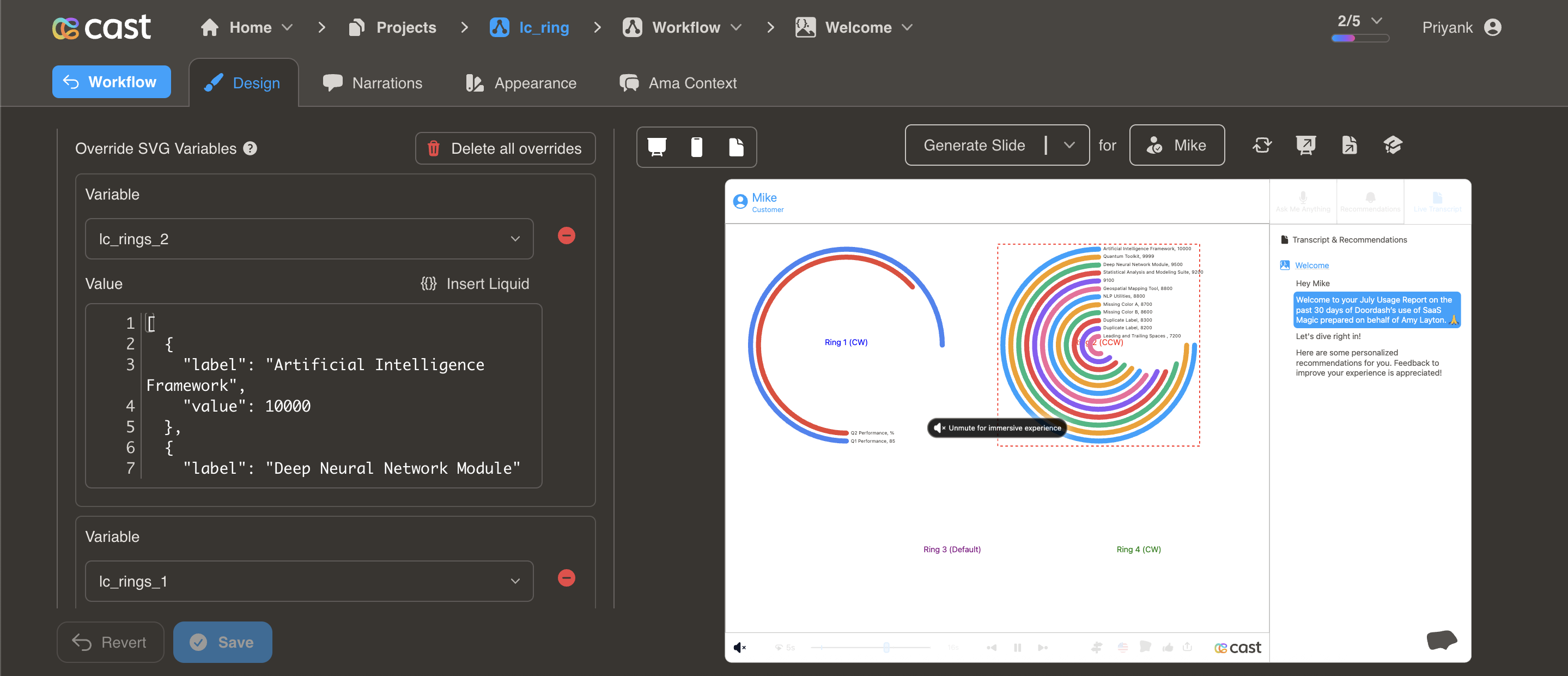
Element Setup
Main Element:
- Element type:
<rect> - ID format:
lc_rings_*(e.g.,lc_rings_performance,lc_rings_comparison)
Input Format
JSON Array of Objects:
[
  { "value": 85, "label": "Artificial Intelligence Framework", "color": "#4285F4" },
  { "value": 72, "label": "Deep Neural Network Module", "color": "#EA4335" },
  { "value": 58, "label": "Machine Learning Pipeline", "color": "#FBBC04" }
]
Required: value (numeric), label (text). Optional: color (hex, CSS name, or RGB). If omitted, uses project’s color palette.
Automatic Features
- Auto-sorting: Rings automatically sort by value (highest = outermost)
- Maximum rings: Displays up to 12 rings
- Auto-sizing: Ring thickness and spacing calculated automatically
Usage Example
<!-- In your SVG -->
<rect id="lc_rings_products" width="400" height="400" />

<!-- In your dataset (as JSON string) -->
{{ products }} = '[
  {"value": 85, "label": "Product A", "color": "#4285F4"},
  {"value": 72, "label": "Product B", "color": "#EA4335"},
  {"value": 58, "label": "Product C", "color": "#FBBC04"}
]'
Highlighting Individual Rings
When you reference a ring’s label in your narration, that ring highlights (full brightness) while others dim to about 12% brightness. In Cast Designer → Narration → Visual Explanations, add to the liquid block:
- Single ring:
[{"label": "Engineering"}] - Multiple rings:
[{"label": "Q1 Performance"}, {"label": "Q4 Performance"}]