lc_image_*
Display uploaded images dynamically from your data source. Perfect for logos, product images, customer photos, or any personalized visual content.
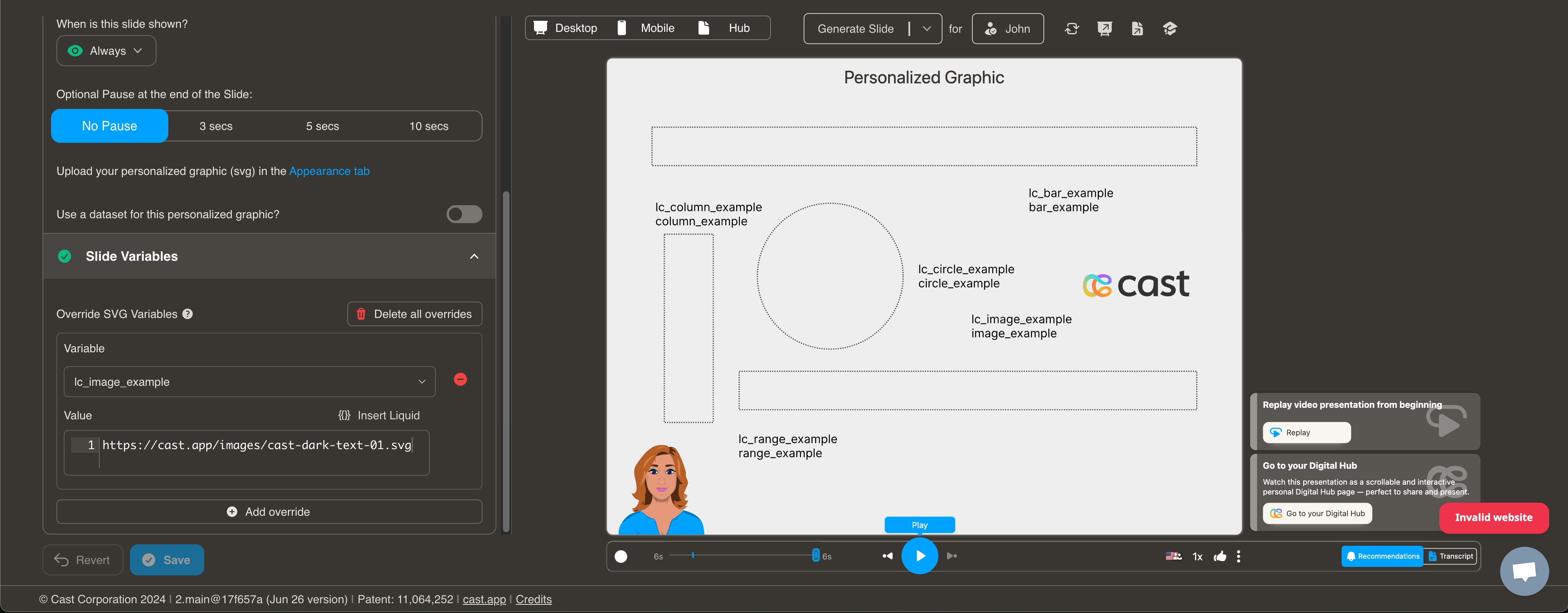
Element Setup:
- Element type:
<rect> - ID format:
lc_image_*(e.g.,lc_image_logo,lc_image_profile)
Horizontal Alignment (ID patterns):
lc_image_*→ Center aligned (default)lc_image_left_*→ Left alignedlc_image_right_*→ Right aligned
Vertical Alignment (ID patterns):
- Default → Middle (vertically centered)
_top_in ID → Top aligned_bottom_in ID → Bottom aligned
Horizontal and vertical alignment can be combined. For example, lc_image_left_top_logo aligns the image to the left and top of the rect.
Alignment Pattern Table:
| Horizontal | Vertical | ID pattern | Example |
|---|---|---|---|
| Left | Top | lc_image_left_top_* | lc_image_left_top_1 |
| Left | Middle (default) | lc_image_left_* | lc_image_left_1 |
| Left | Bottom | lc_image_left_bottom_* | lc_image_left_bottom_1 |
| Center (default) | Top | lc_image_top_* | lc_image_top_1 |
| Center (default) | Middle (default) | lc_image_* | lc_image_1 |
| Center (default) | Bottom | lc_image_bottom_* | lc_image_bottom_1 |
| Right | Top | lc_image_right_top_* | lc_image_right_top_1 |
| Right | Middle (default) | lc_image_right_* | lc_image_right_1 |
| Right | Bottom | lc_image_right_bottom_* | lc_image_right_bottom_1 |
lc_image_center_* is not required; centered alignment is the default for lc_image_* IDs.
Input Format: CDN URL or dataset variable (e.g. ``). If no image or unsupported type, displays “No Image”.
Behavior:
- Auto stretch: Images automatically resize to fit the box. Small images grow larger and large images shrink down, so the image always uses as much space as possible.
- No distortion: The image keeps its original proportions — it will never look squished or stretched.
- Rounded corners: If the box has rounded corners, the image follows the same shape.