
lc_deeplink
Ask, link, email, call, text, or join a meeting with lc_deeplink_*
Section titled “Ask, link, email, call, text, or join a meeting with lc_deeplink_*”The lc_deeplink_* prefix turns any shape, icon, or button into a one-click action. What it does depends on what you type as the override value: ask AMA a question, open a link, launch the viewer’s mail client, call or text a number, or drop into a Zoom meeting.
When to use it
- A button or icon you’ve already designed in Figma, where clicking it should ask a specific question
- A CTA that should open your website, docs, or a landing page — with or without an in-player preview
- “Email us”, “Call sales”, or “Text support” hotspots that hand off to the viewer’s own apps
- A “Join the meeting” button that opens a Zoom link
- Several independent action buttons on one slide, each doing something different
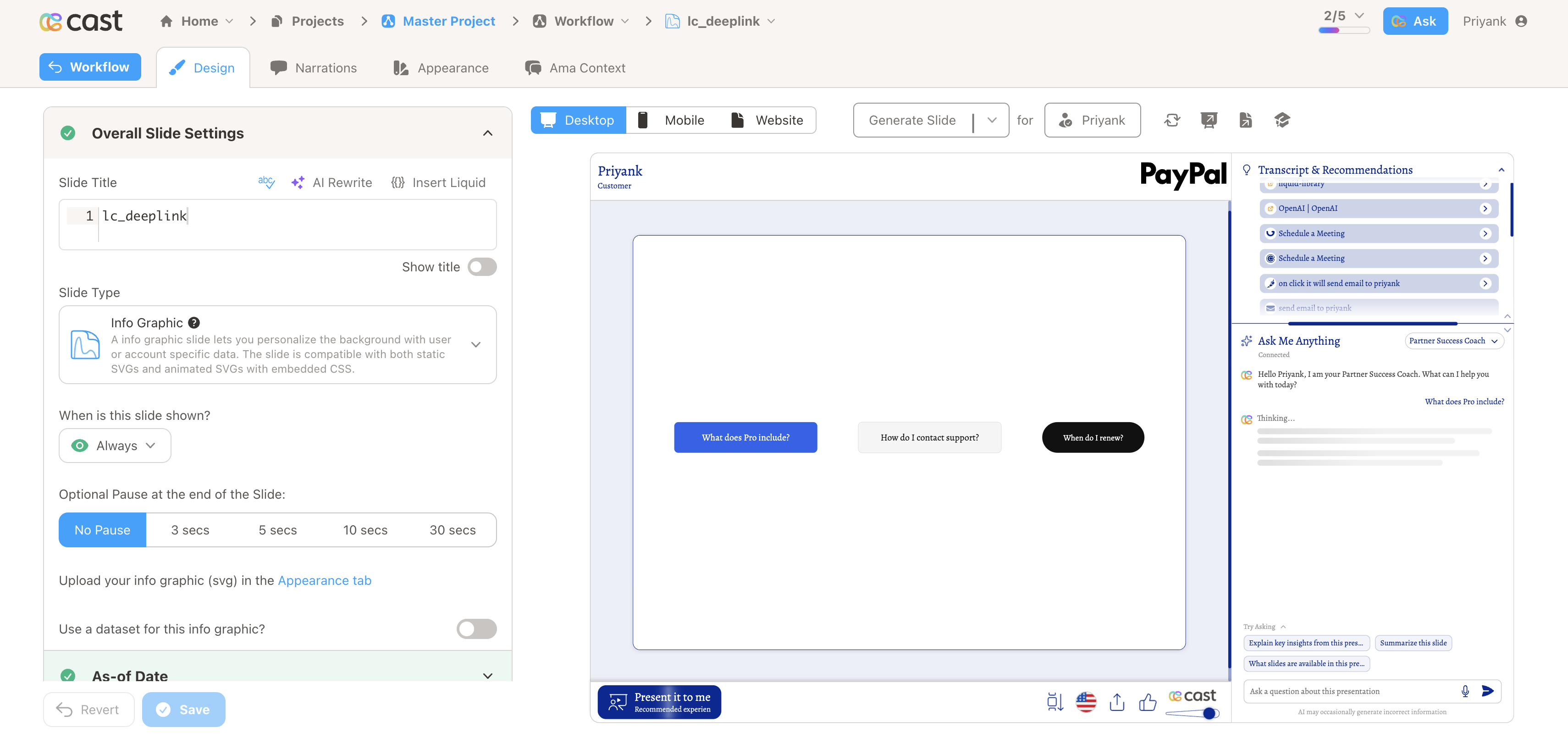
Quick reference
Section titled “Quick reference”| ID prefix | lc_deeplink_* (optional lc_deeplink_left_*, lc_deeplink_center_*, lc_deeplink_right_* for horizontal label alignment) |
| SVG element | Any element |
| Override value | The action target — a question, link, email, phone number, or Zoom URL. Never shown on the slide unless it’s a markdown label. |
What the value can be
| Value | What happens |
|---|---|
What does the Pro plan include? |
Asks AMA that question |
https://example.com/pricing |
Opens the link (in-player preview or a new tab) |
support@example.com or mailto:support@example.com |
Opens the viewer’s mail client |
tel:+14155550123 |
Calls the number |
sms:+14155550123 |
Texts the number |
zoommtg://zoom.us/join?confno=123456789 |
Opens the Zoom meeting |
[Visit our site](https://example.com) |
Opens the link, but shows “Visit our site” as the label |
ama: https://example.com |
Asks that as a literal AMA question instead of opening the link |
Setup in Cast
Section titled “Setup in Cast”- Give any element in your SVG an ID that includes
lc_deeplink_— for examplelc_deeplink_pricing. - Open Override SVG Variables and set that ID’s value to what you want it to do — a question, a URL, an email address, a phone number, or a Zoom link. See the table above for the exact shapes.
- During playback, clicking that element pauses the presentation and performs the matching action right away. Leave the value empty and the element simply won’t be clickable.
Samples
Section titled “Samples”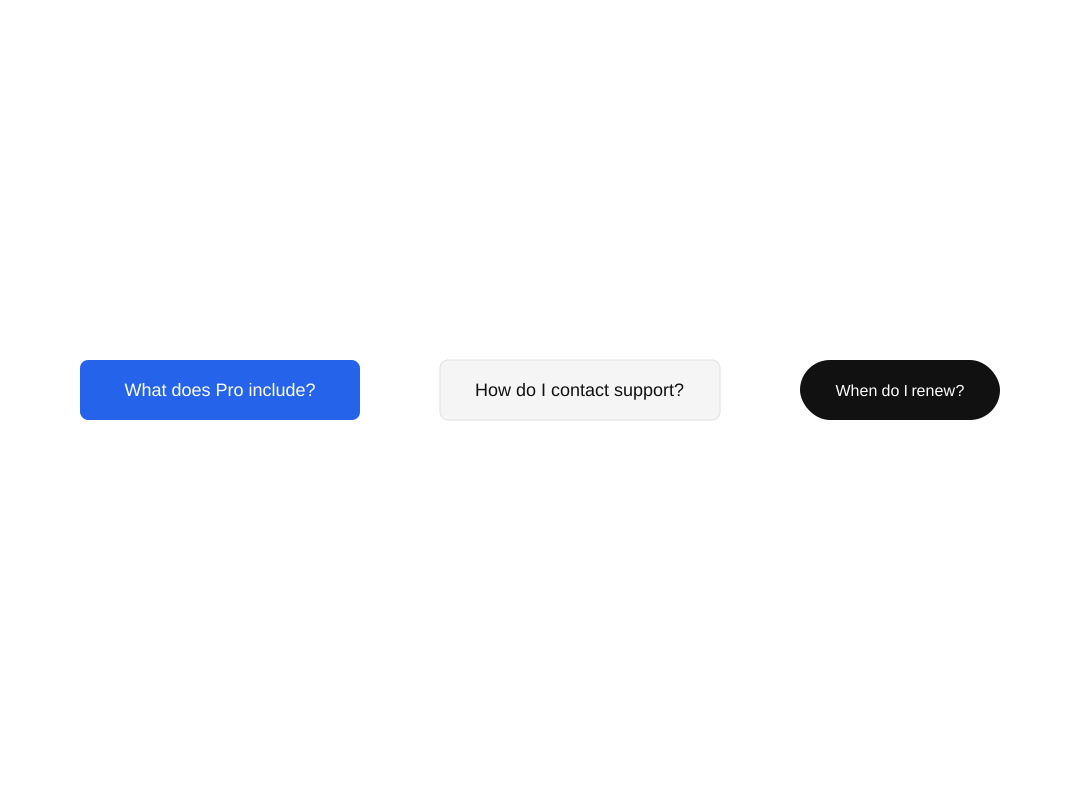
Advanced: how it behaves and what to keep in mind
How it works
Section titled “How it works”- The value you type is sniffed to decide the action — there’s no separate ID subtype for links vs. email vs. AMA. Renaming the element’s ID never changes its behavior.
- The element becomes fully clickable and keyboard-accessible (Tab to focus, then Enter or Space also works).
- On mobile, AMA opens as a bottom sheet instead of a side panel; links, mail, and protocol actions behave the same as on desktop.
- If AMA is turned off for a presentation, an AMA-type value still pauses playback, but AMA won’t open. Link, mail, and protocol values are unaffected.
- There’s no confirmation step — clicking performs the action immediately.
Markdown labels
Section titled “Markdown labels”Wrap the whole value in [label](target) to control what text shows on the element instead of the raw link or question:
[Visit our site](https://example.com)[Email Support](mailto:support@example.com)[Call Support](tel:+14155550123)The label is written into the element’s text automatically — you don’t need to add text yourself. This only works when the markdown covers the entire value; a sentence that merely mentions a link (e.g. Please see [our docs](https://example.com) for more) is treated as a plain AMA question instead.
More examples
| Value | Label shown | Action |
|---|---|---|
[Visit Intelex](https://www.intelex.com) |
Visit Intelex | Opens the link |
https://www.intelex.com |
the URL itself | Opens the link |
[Email Support](mailto:support@example.com) |
Email Support | Opens mail client |
[Email with Subject](mailto:support@example.com?subject=Support%20Request) |
Email with Subject | Opens mail client, subject pre-filled |
[Call Support](tel:+14155550123) |
Call Support | Calls the number |
[Send a Text](sms:+14155550123) |
Send a Text | Texts the number |
[Open Zoom Meeting](zoommtg://zoom.us/join?confno=123456789) |
Open Zoom Meeting | Opens the Zoom meeting |
sms:+14155550123 |
the URI itself | Texts the number |
mailto:support@example.com?subject=Support%20Request |
the URI itself | Opens mail client, subject pre-filled |
[Send Email](mailto:support@example.com?cc=manager@example.com&subject=Demo%20Request&body=Hello%2C%0A%0AI%20would%20like%20to%20schedule%20a%20demo.) |
Send Email | Opens mail client with cc, subject, and body pre-filled |
Without a markdown label, the element’s text shows the full authored value (URL, mailto: string, etc.) rather than a friendly name — use [label](target) whenever you want cleaner on-slide text.
Forcing an AMA question
Section titled “Forcing an AMA question”A question with normal wording (even one that mentions a link or address, like “is support@example.com the right contact?”) already asks AMA on its own — the ama: prefix isn’t needed there.
It only matters when the value is, on its own, a bare link, email, or protocol URI that would otherwise navigate, and you want it asked as a literal question instead:
ama: https://example.comama: support@example.comSupported links and actions
Section titled “Supported links and actions”- Links — any
http://orhttps://URL. Opens inside the player when the destination allows it, otherwise in a new tab. - Email — a bare address or a full
mailto:URI (subject,body, andccparams supported). - Phone / text —
tel:andsms:URIs, handed off to the viewer’s OS. - Zoom —
zoommtg://URIs, handed off to the Zoom app. - Anything else that looks like a link but isn’t one of the above (e.g.
javascript:...) is rejected — the element won’t bind, and Cast will flag it as an invalid value.
Horizontal label alignment
Section titled “Horizontal label alignment”Use ID prefixes to anchor the rewritten label (markdown text or the raw value) to the left, center, or right of a slot — the same naming style as lc_image_left_*, not lc_left_deeplink_*.
| Horizontal alignment | ID pattern | Example |
|---|---|---|
| Left (default) | lc_deeplink_* or lc_deeplink_left_* |
lc_deeplink_cta, lc_deeplink_left_booking |
| Center | lc_deeplink_center_* |
lc_deeplink_center_label |
| Right | lc_deeplink_right_* |
lc_deeplink_right_support |
How the player finds the slot
- Group + rect: Put the deeplink ID on a
<g>that contains a transparent<rect>(hit area) and a<text>or<tspan>placeholder. The rect defines the slot edges; the label anchors to the left, center, or right inside that box. - Bare
<text>: Put the ID on the<text>element. If there is no rect in the group, the player looks for a sibling row group in the same column, such aslc_deeplink_left_row1, and uses that group’s rect as the slot.
Designer notes
- Match Figma placeholder alignment to the prefix (center-aligned placeholder for
lc_deeplink_center_*, right-aligned forlc_deeplink_right_*) so anchors line up before overrides run. - Long labels stay inside the slot rect; overflow uses the same horizontal scroll behavior as
lc_scrolltext. - Older SVGs may still use
lc_left_deeplink_*,lc_center_deeplink_*, orlc_right_deeplink_*; the player accepts those, but new work should uselc_deeplink_left_*,lc_deeplink_center_*, andlc_deeplink_right_*.
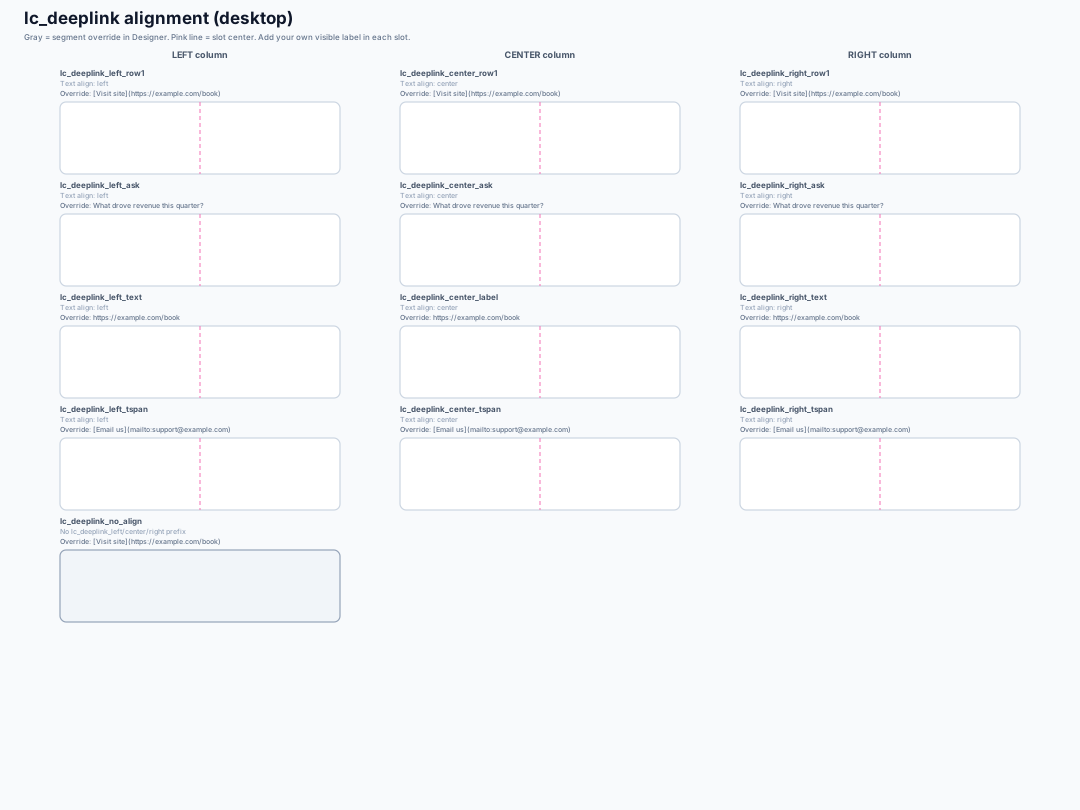
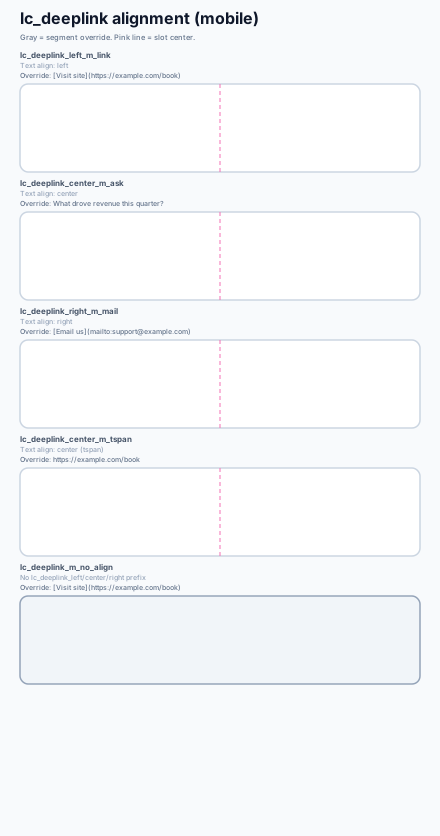
See the alignment desktop and alignment mobile sample SVGs for every case (group, bare text, tspan, and no-align control).
Good to know
Section titled “Good to know”- Works on any shape, group, icon, or text — there’s no restriction on what kind of element you use.
- If you update the value later, the same element keeps working without needing to be re-created.
- Links, emails, and protocol values are never translated, so they always open correctly regardless of presentation language. Markdown labels and AMA questions are translated normally.