
Rest Api
Rest (Basic Auth)/ Rest (OAuth 2.0)
Section titled “Rest (Basic Auth)/ Rest (OAuth 2.0)”The Rest data source allows you to connect to Rest-based APIs. Cast offers two authentication methods: Basic Auth and OAuth 2.0.
Rest (Basic Auth) Configuration
Section titled “Rest (Basic Auth) Configuration”When setting up a Rest API with Basic Authentication, the following fields are required:
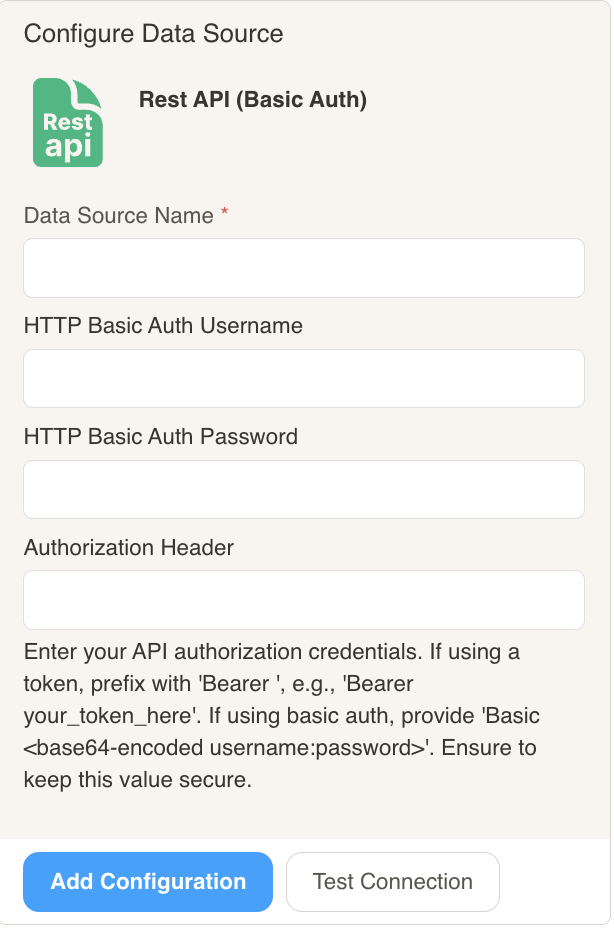
Data Source Name: A unique name to identify this connection in your datasets
HTTP Basic Auth Username: The username for the API’s basic authentication
HTTP Basic Auth Password: The password for the API’s basic authentication
Authorization Header: Custom authorization header format (if required by the API)
Rest (OAuth 2.0) Configuration
Section titled “Rest (OAuth 2.0) Configuration”For APIs that use OAuth 2.0 authentication, you’ll need to provide:
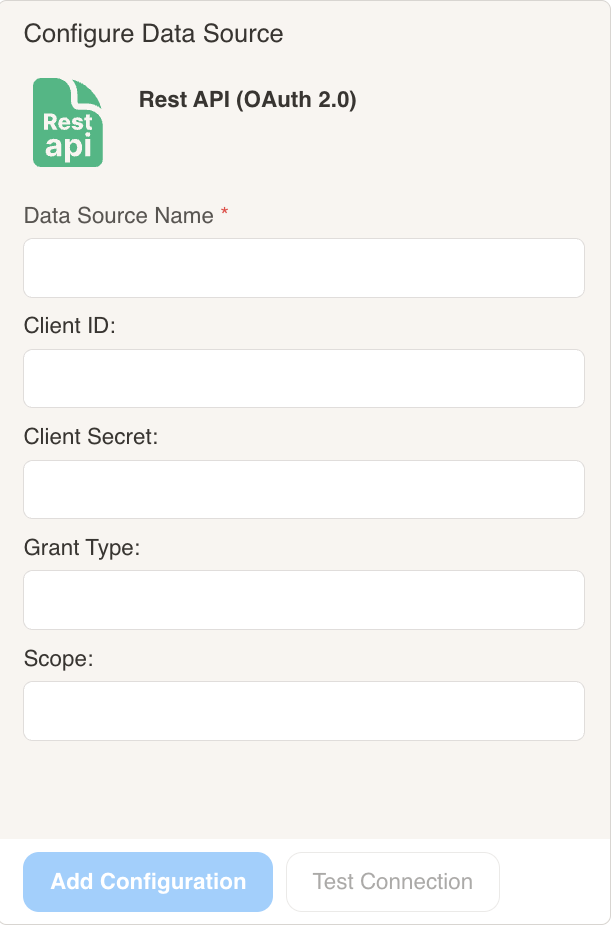
Data Source Name: A unique name to identify this connection (required)
Client ID: The OAuth client ID provided by the API service
Client Secret: The OAuth client secret provided by the API service
Grant Type: The OAuth grant type (e.g., authorization_code, client_credentials, password)
Scope: The scope of access you’re requesting from the API (space-separated list)
Connection Testing
After configuring your data source, you can use the “Test Connection” button to verify that Cast can successfully connect to your Rest API with the provided credentials.