
Forms
You can select any of the available forms by clicking on the “Add a Recommendation” dropdown button.
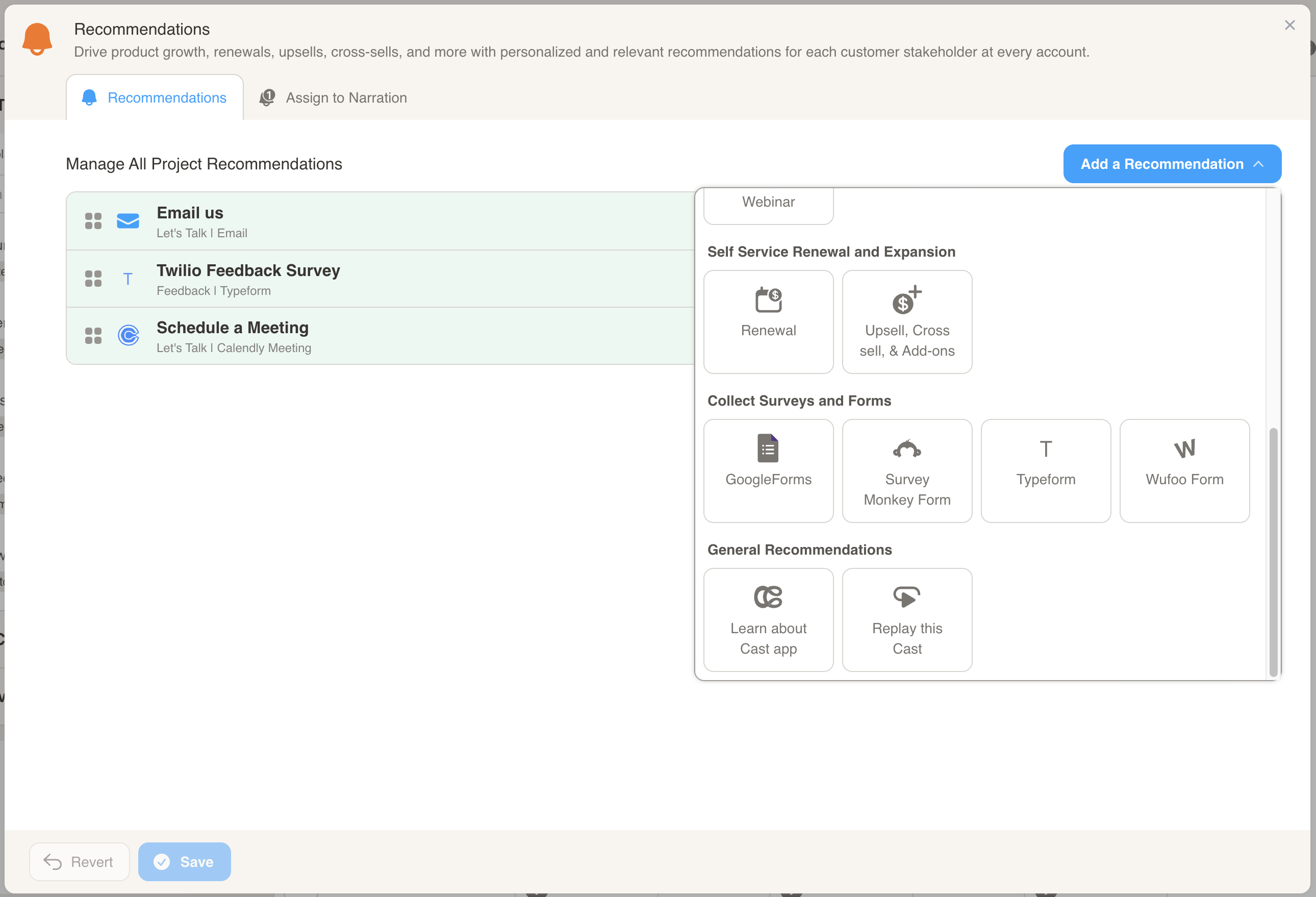
Here is how you configure each of the forms:
GoogleForms
Section titled “GoogleForms”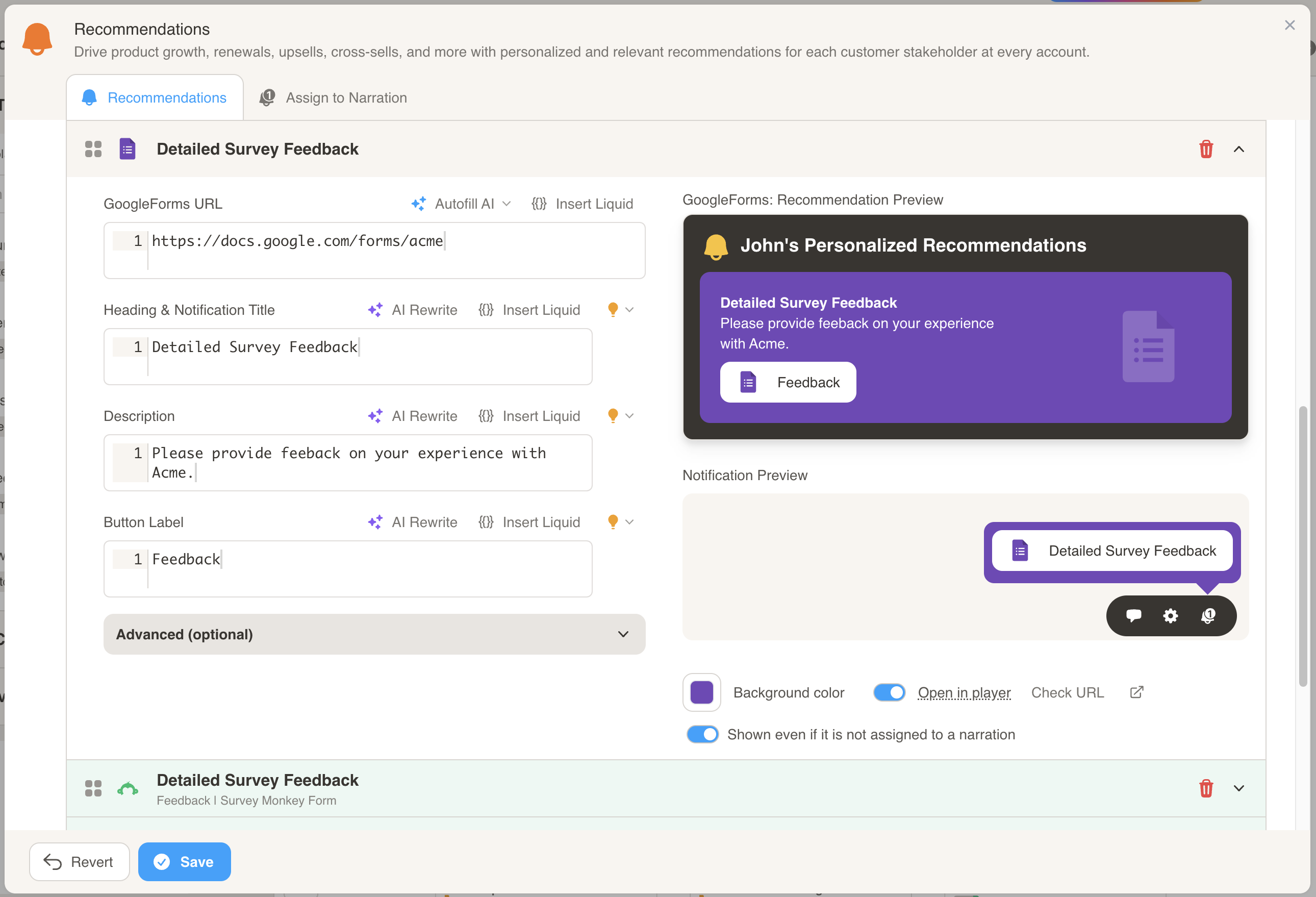
- Enter the URL to the Google Form that you want the customer to fill out.
- Customize the Title, Description, and Button Label to personalize the recommendation.
Survey Monkey form
Section titled “Survey Monkey form”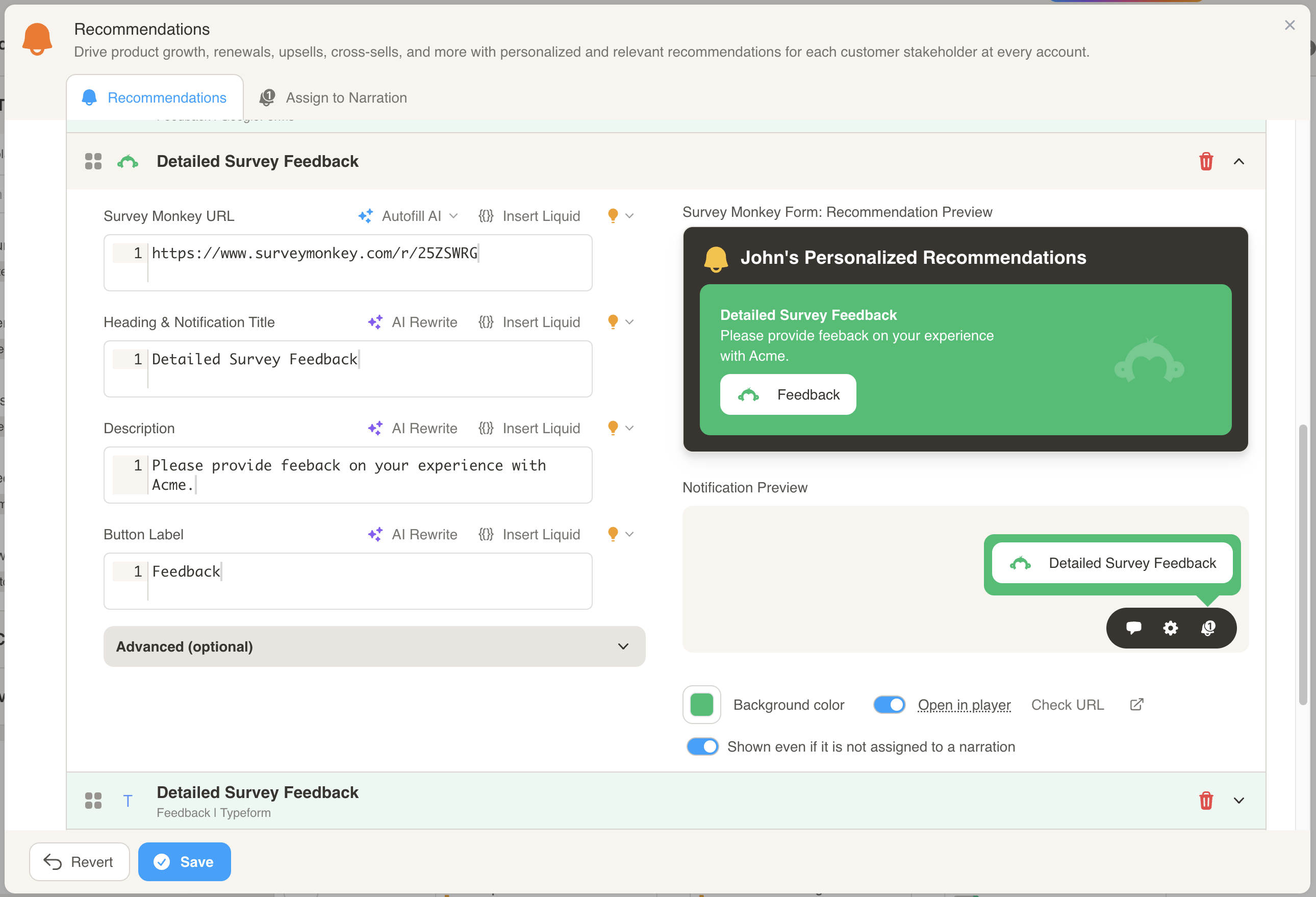
- Enter the URL to the Survey Monkey form that you want the customer to fill out.
- Customize the Title, Description, and Button Label to personalize the recommendation.
Typeform
Section titled “Typeform”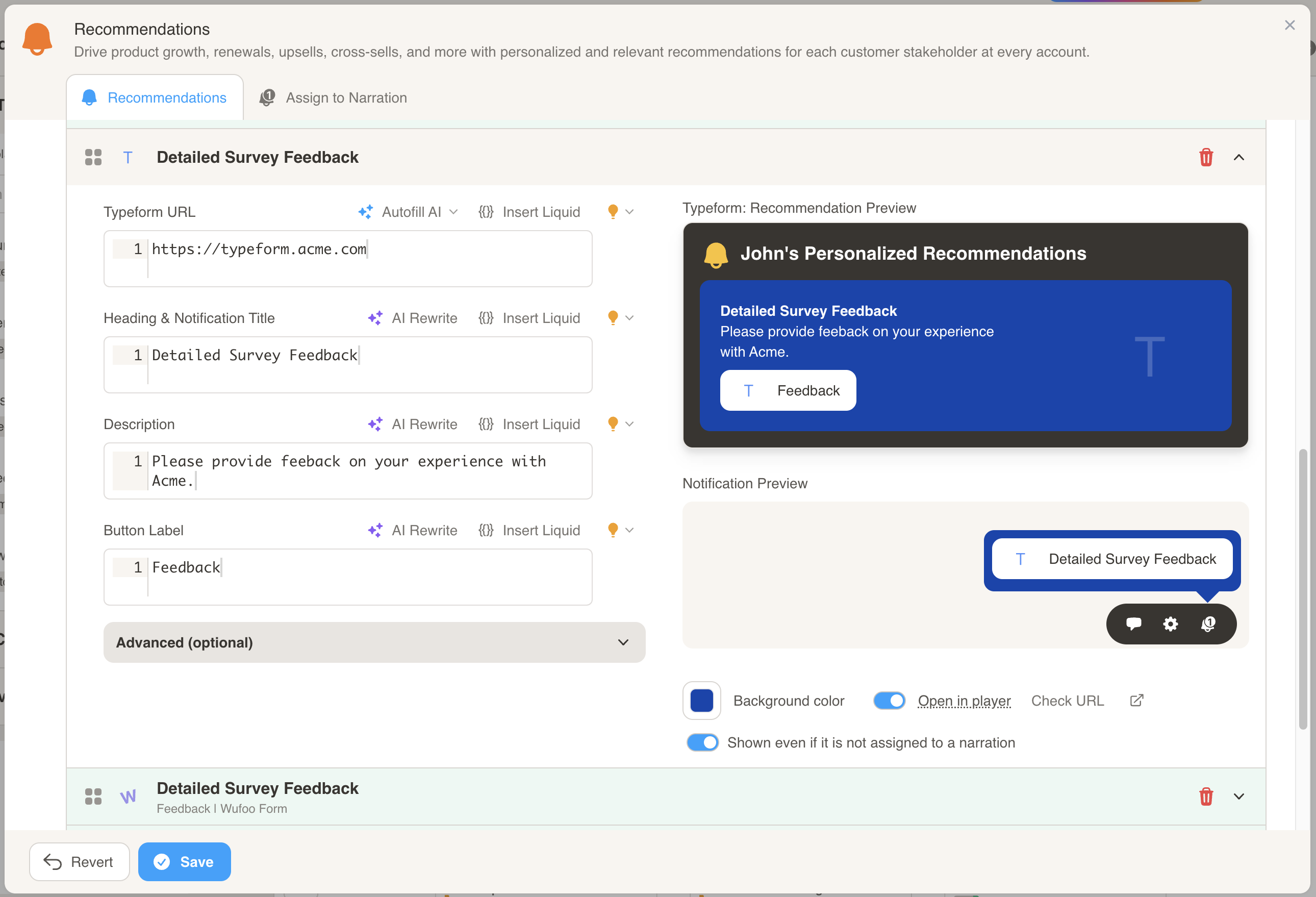
- Enter the URL to the Typeform that you want the customer to fill out.
- Customize the Title, Description, and Button Label to personalize the recommendation.
Woofoo form
Section titled “Woofoo form”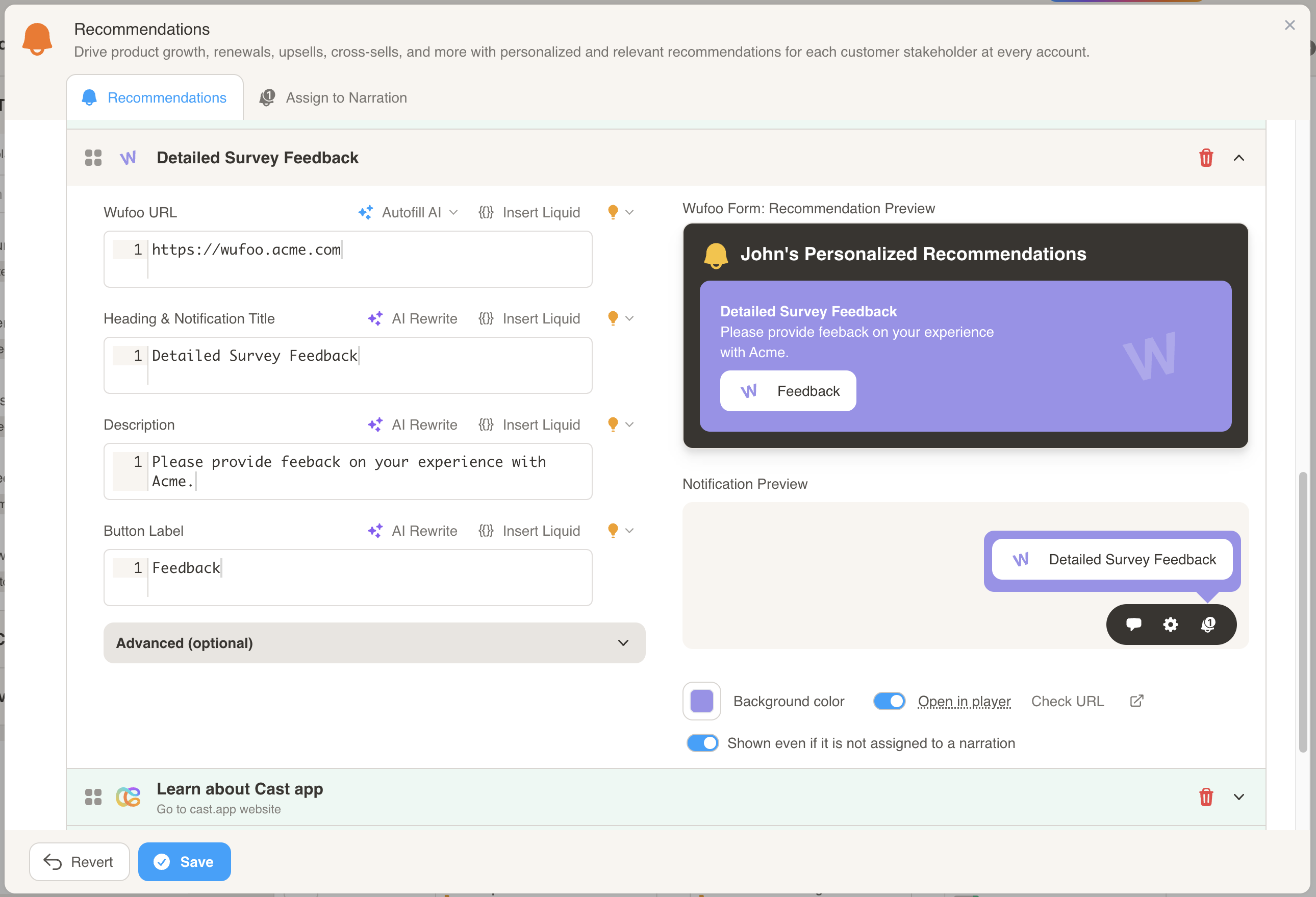
- Enter the URL to the Wufoo form that you want the customer to fill out.
- Customize the Title, Description, and Button Label to personalize the recommendation.