
Connect a Digital Resource
Connect a Digital Resource
Section titled “Connect a Digital Resource”You can select any of the available 1:Many Relationship Recommmendations by clicking on the “Add a Recommendation” dropdown button.
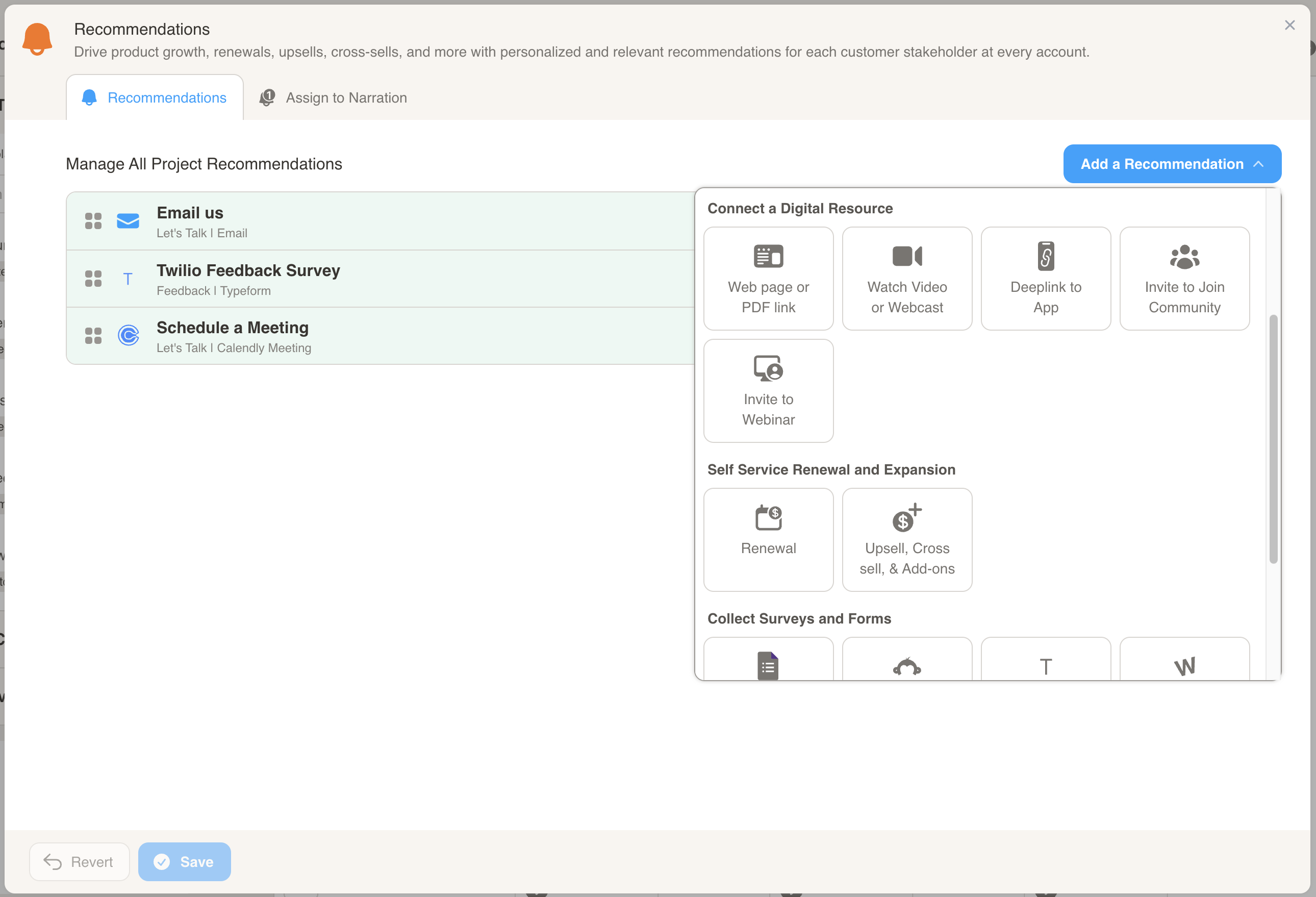
Here is how you configure each of the 1:Many Recommendations:
Web page or PDF link
Section titled “Web page or PDF link”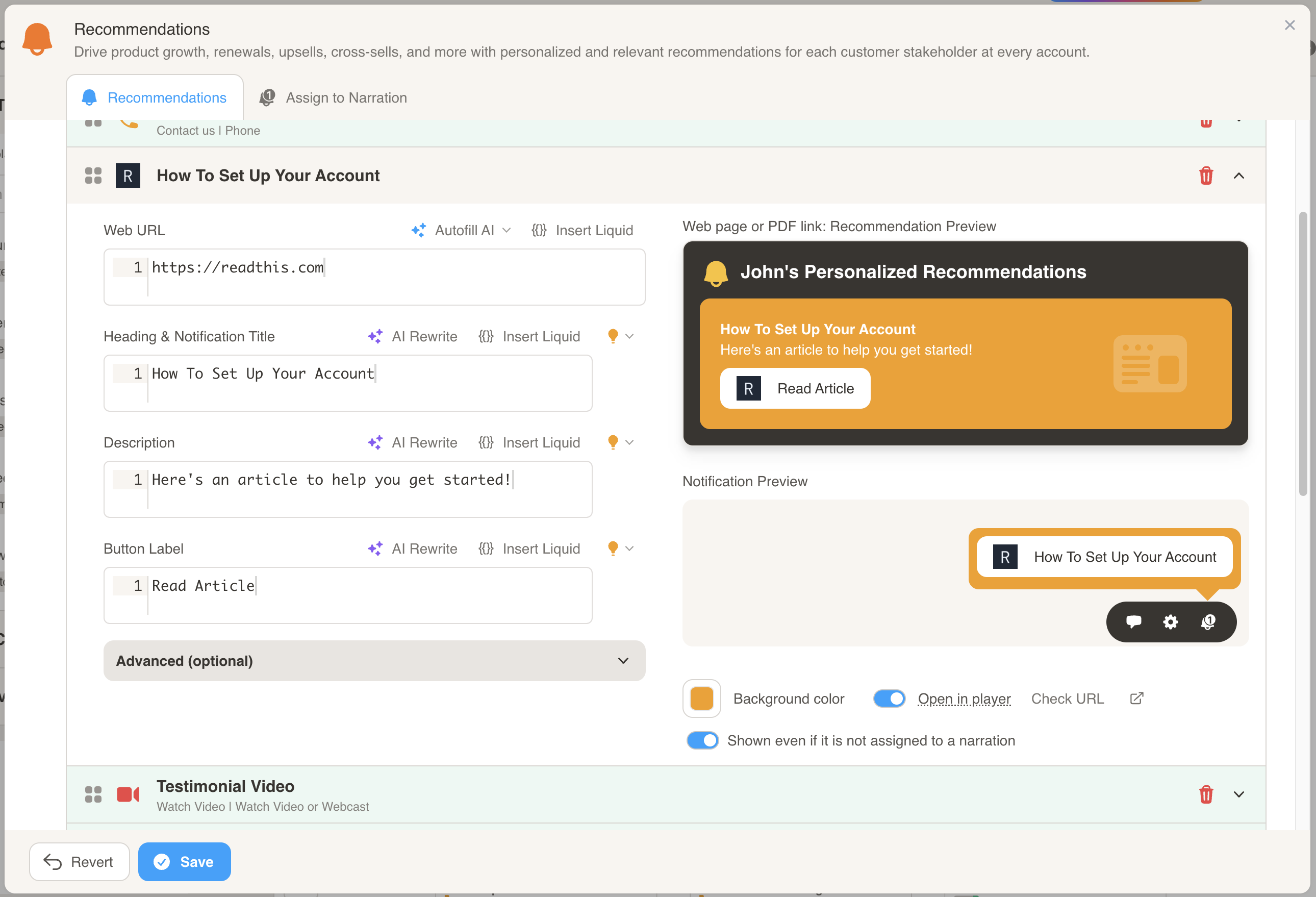
- Enter the URL to the web page or PDF link that you want the customer to view.
- Customize the Title, Description, and Button Label to personalize the recommendation.
Watch Video
Section titled “Watch Video”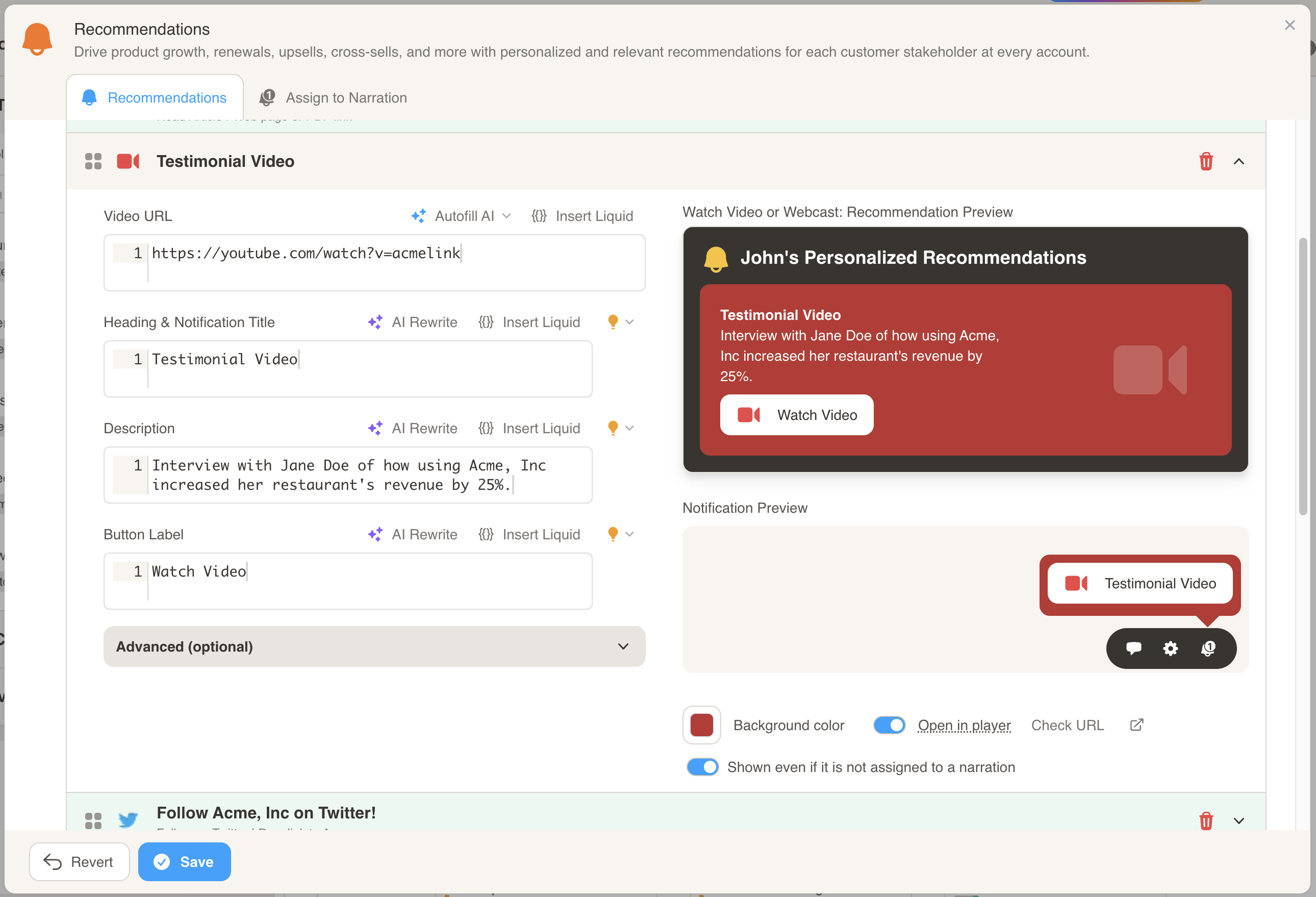
- Enter the URL of the video that you want the customer to view.
- Customize the Title, Description, and Button Label to personalize the recommendation.
Deeplink to App
Section titled “Deeplink to App”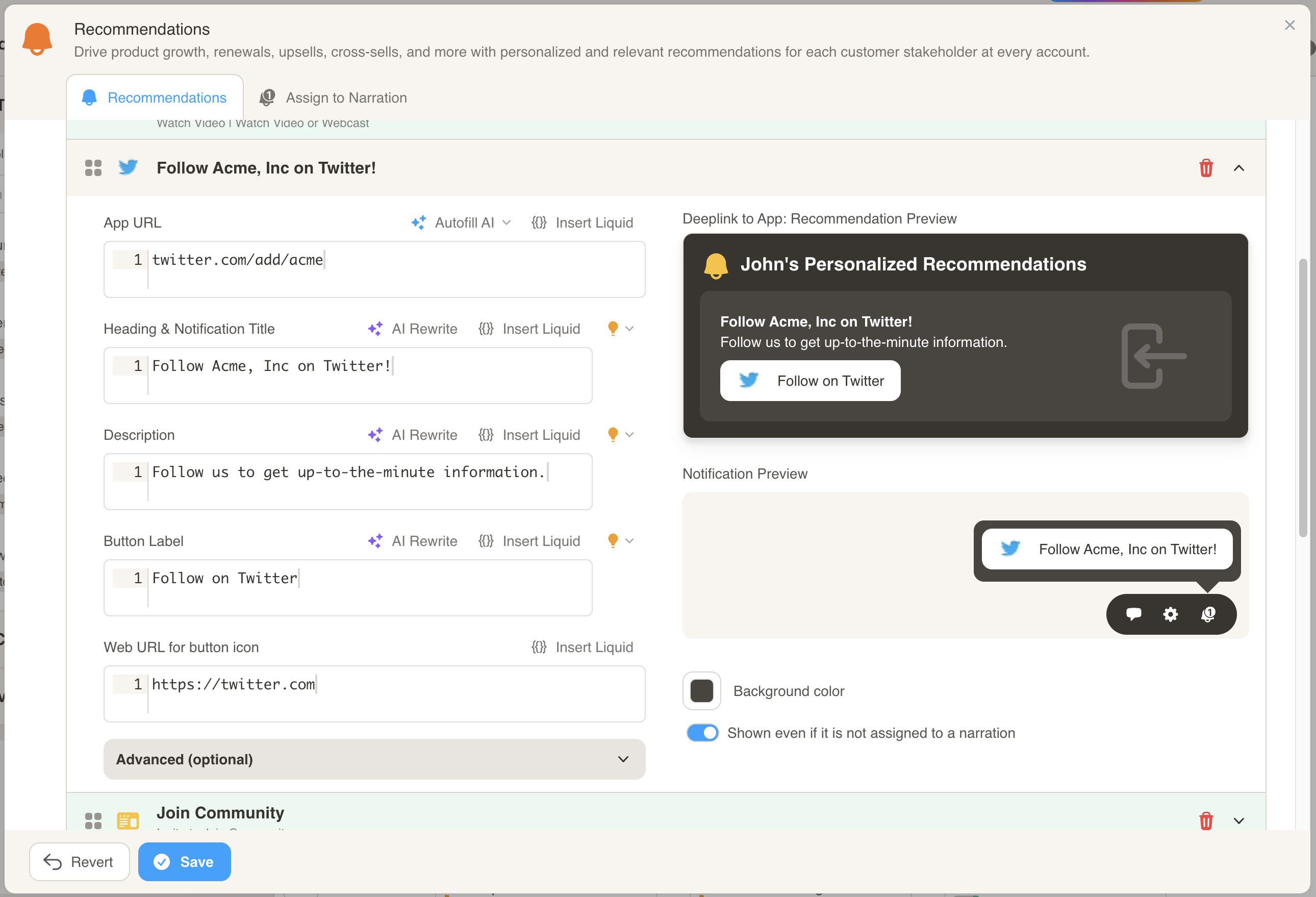
- Enter the Deeplink URL to the application you want the user to go to.
- Customize the Title, Description, and Button Label to personalize the recommendation.
- Enter the URL to pull the button icon from.
Invite to Join Community
Section titled “Invite to Join Community”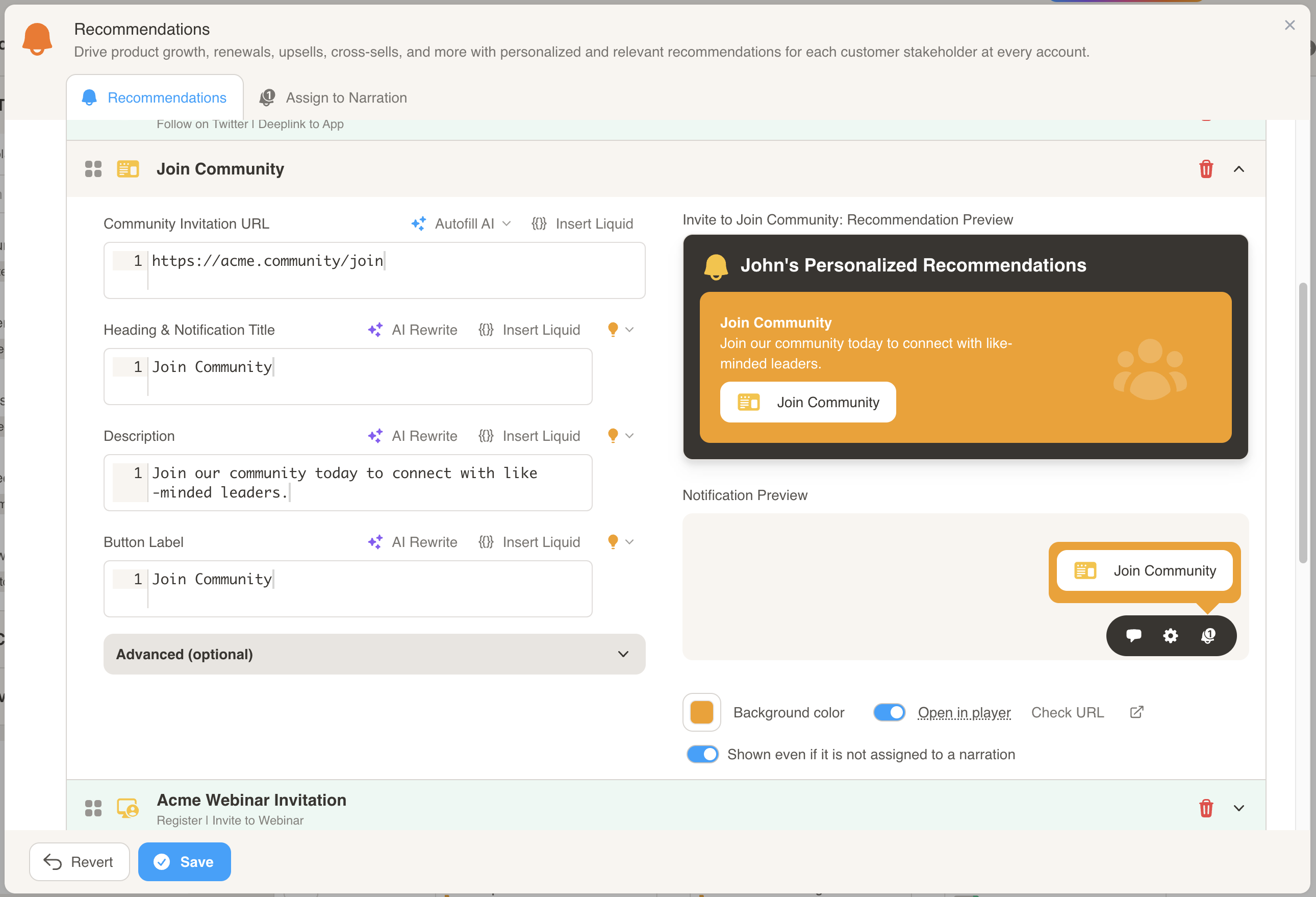
- Enter the URL to the community that you want the customer to join.
- Customize the Title, Description, and Button Label to personalize the recommendation.
Invite to Webinar
Section titled “Invite to Webinar”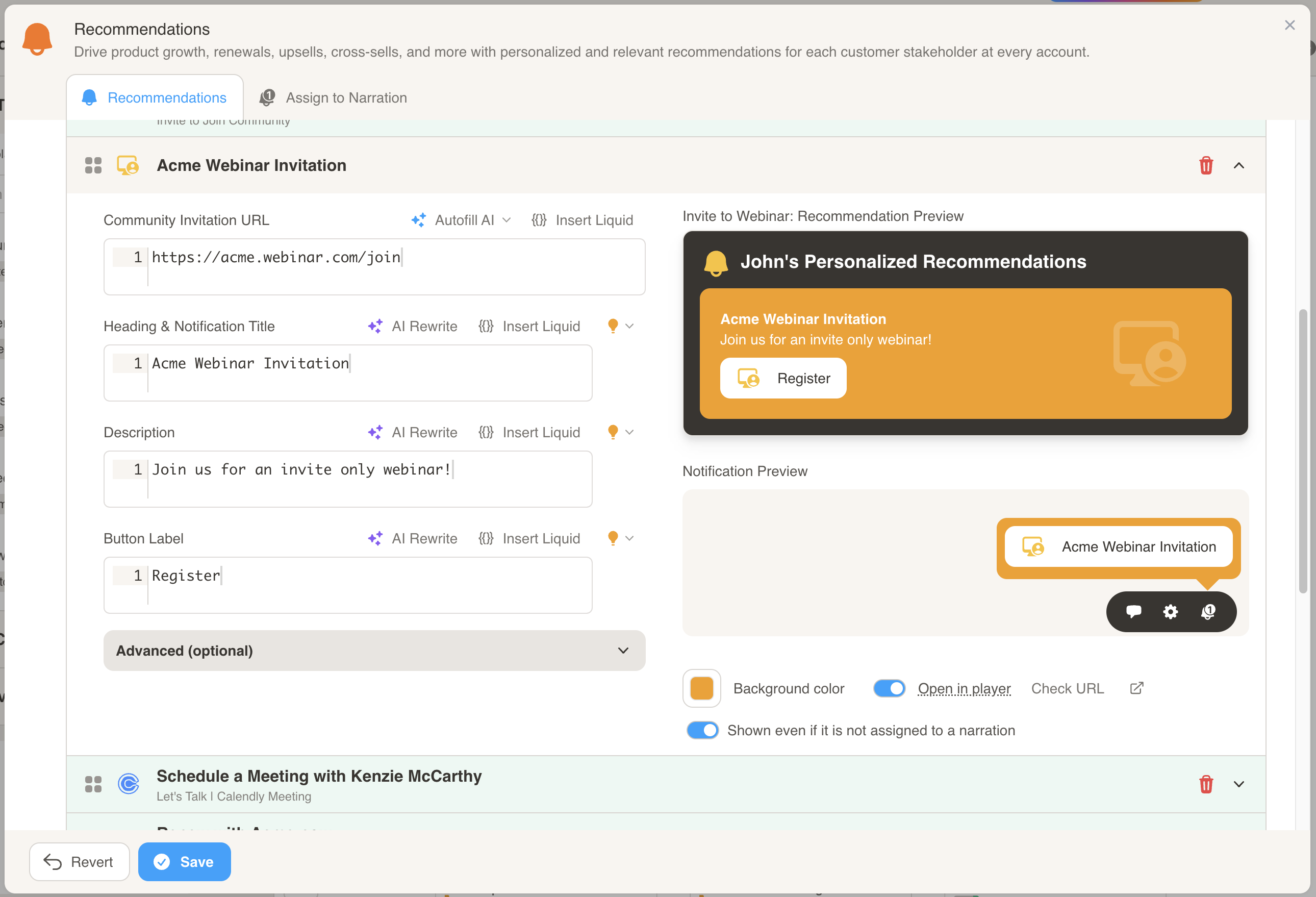
- Enter the URL to the webinar that you want the customer to join.
- Customize the Title, Description, and Button Label to personalize the recommendation.