
Connect a CSM, onboarding expert, or renewals or account manager
Connect a CSM, onboarding expert, or renewals or account manager
Section titled “Connect a CSM, onboarding expert, or renewals or account manager”You can select any of the available 1:1 Relationship Recommmendations by clicking on the “Add a Recommendation” dropdown button.
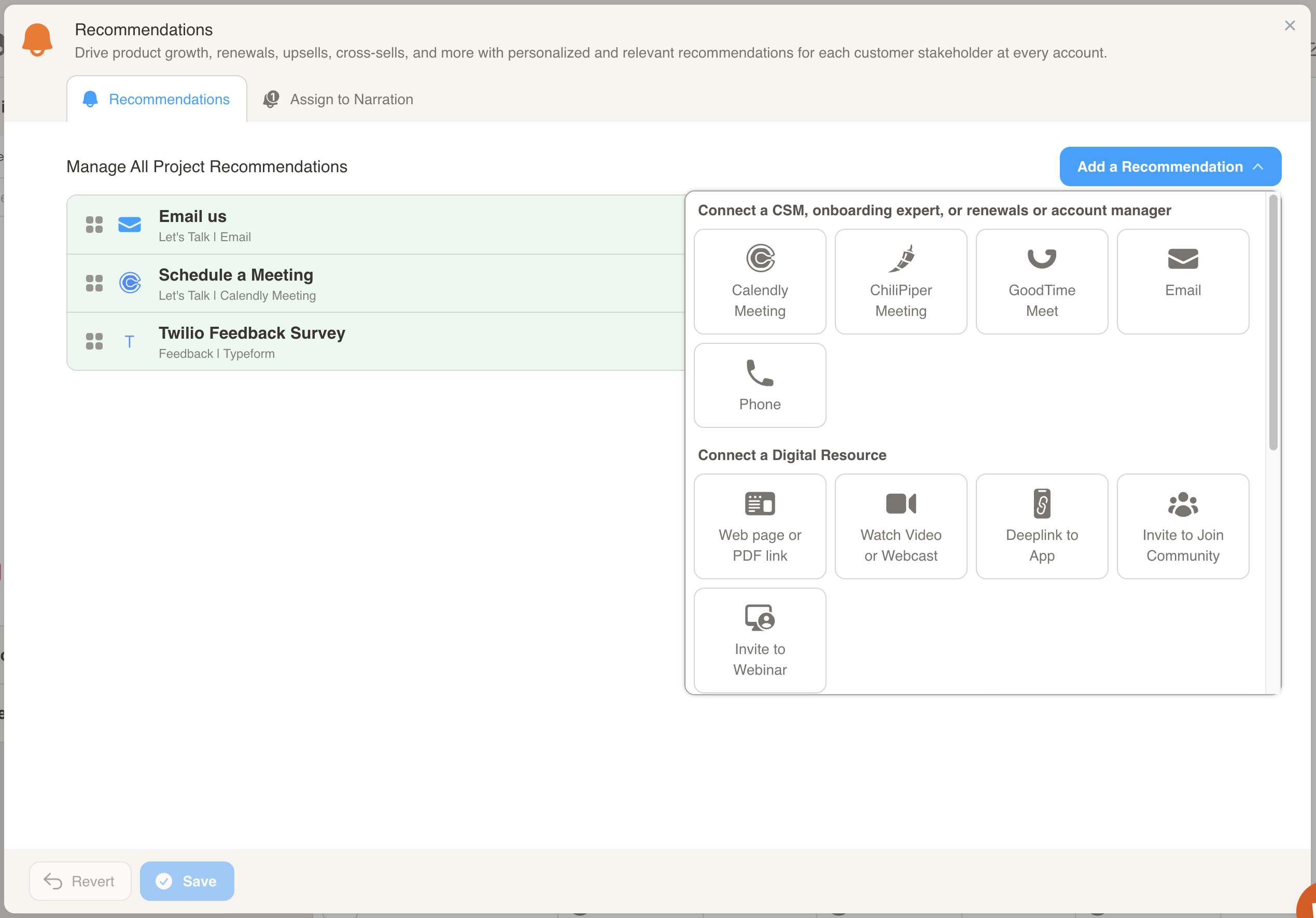
Here is how you configure each of the 1:1 Relationship Recommendations:
Calendly Meeting
Section titled “Calendly Meeting”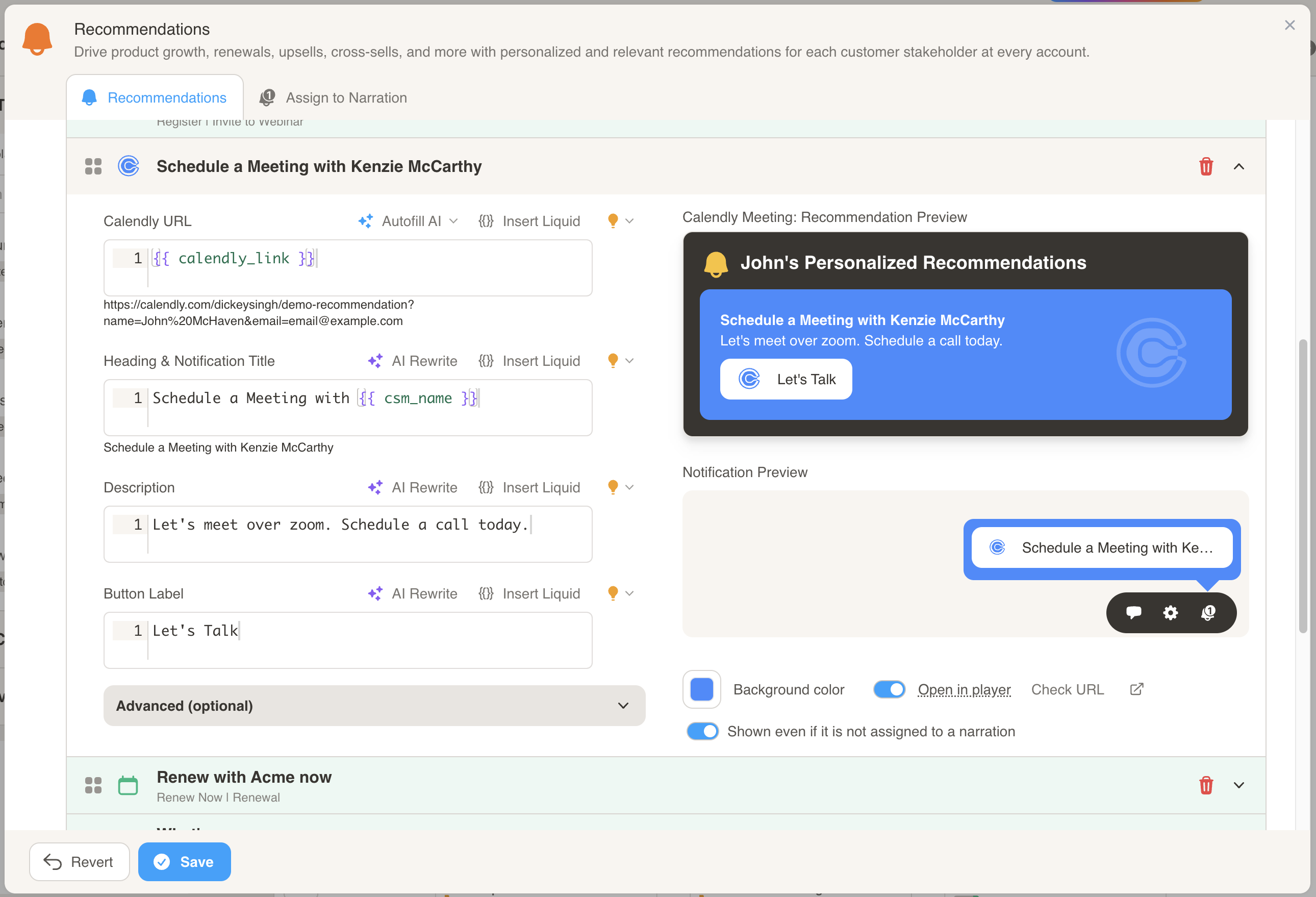
- Enter a Calendly URL.
- Customize the Title, Description, and Button Label to personalize the recommendation.
- You can use Liquid to pipe in any values from the customer data into any of the fields. For example, in the screenshot we are using {% raw %}
{{ calendly_link }}and{{ csm_name }}{% endraw %}, to pipe in the Calendly link and Customer Success Manager’s name, respectively. - For more information on Calendly URLs, check out these links:
Chili Piper Meeting
Section titled “Chili Piper Meeting”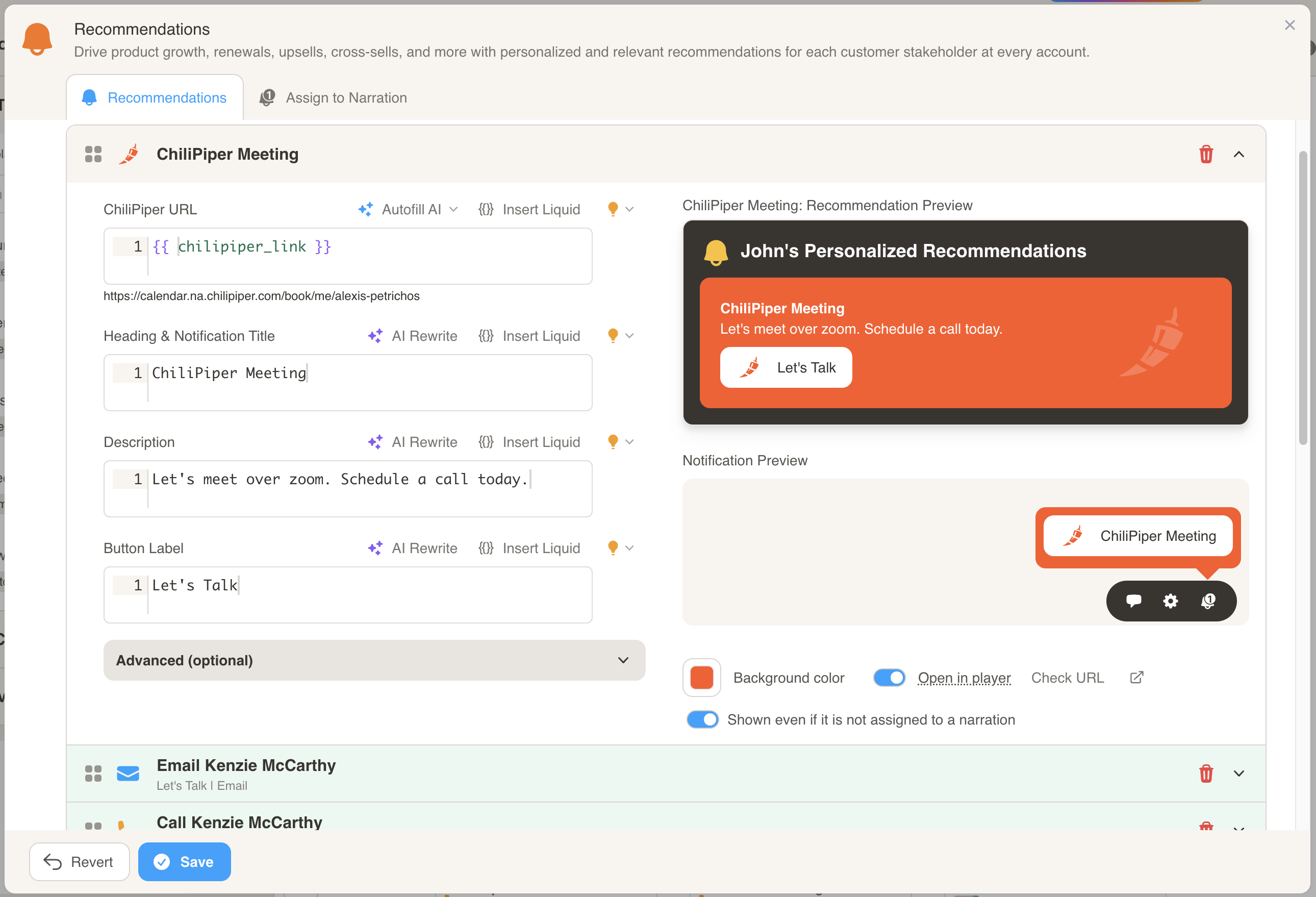
- Enter a Chili Piper URL.
- Customize the Title, Description, and Button Label to personalize the recommendation.
- You can use Liquid to pipe in any values from the customer data into any of the fields. For example, in the screenshot we are using {% raw %}
{{ chilipiper_link }}{% endraw %}, to pipe in the Chili Piper link. - For more information on Chili Piper URLs, check out this link:
GoodTime Meet
Section titled “GoodTime Meet”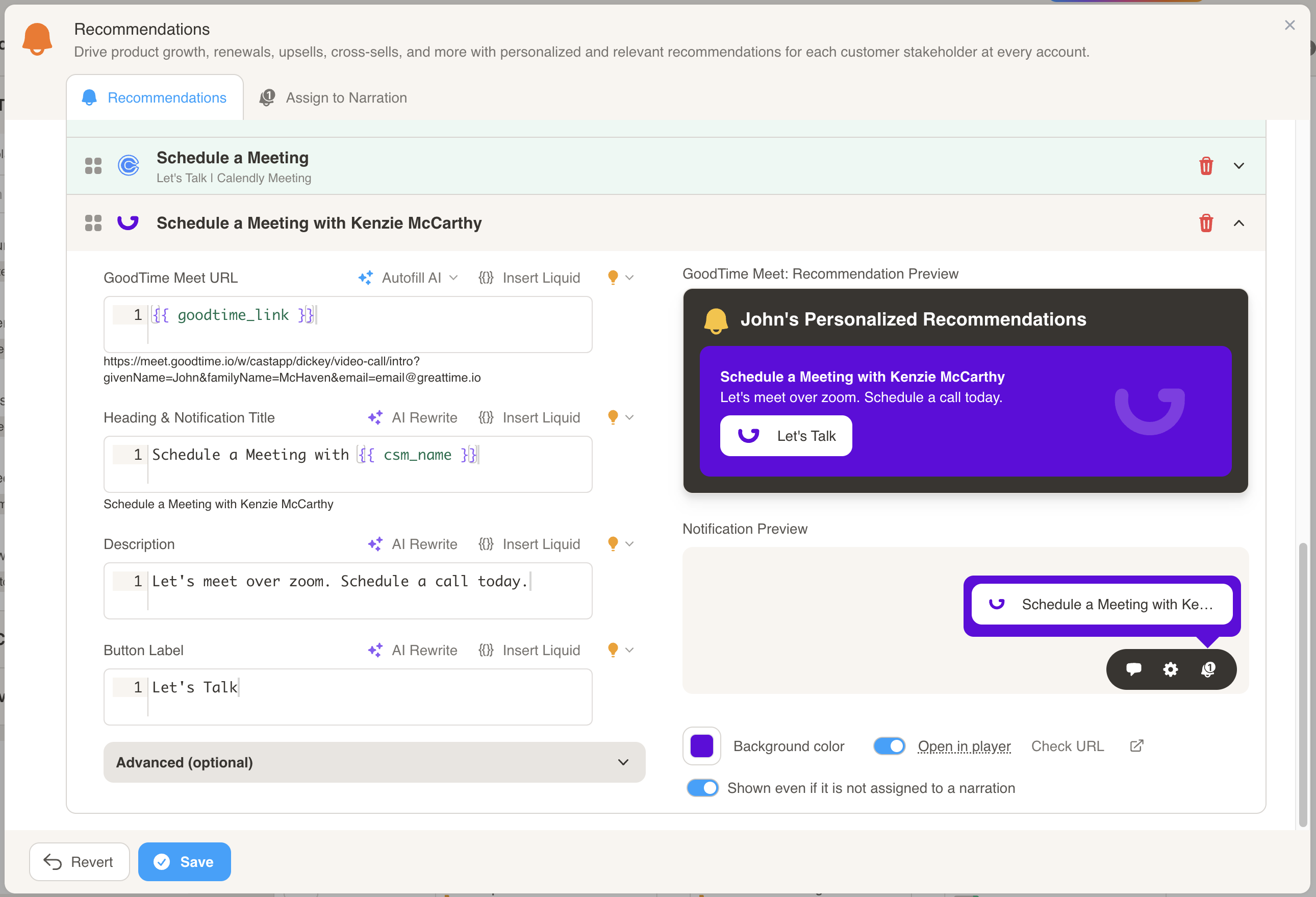
- Enter a GoodTime URL.
- Customize the Title, Description, and Button Label to personalize the recommendation.
- You can use Liquid to pipe in any values from the customer data into any of the fields. For example, in the screenshot we are using {% raw %}
{{ goodtime_link }}and{{ csm_name }}{% endraw %}, to pipe in the GoodTime link and Customer Success Manager’s name, respectively.
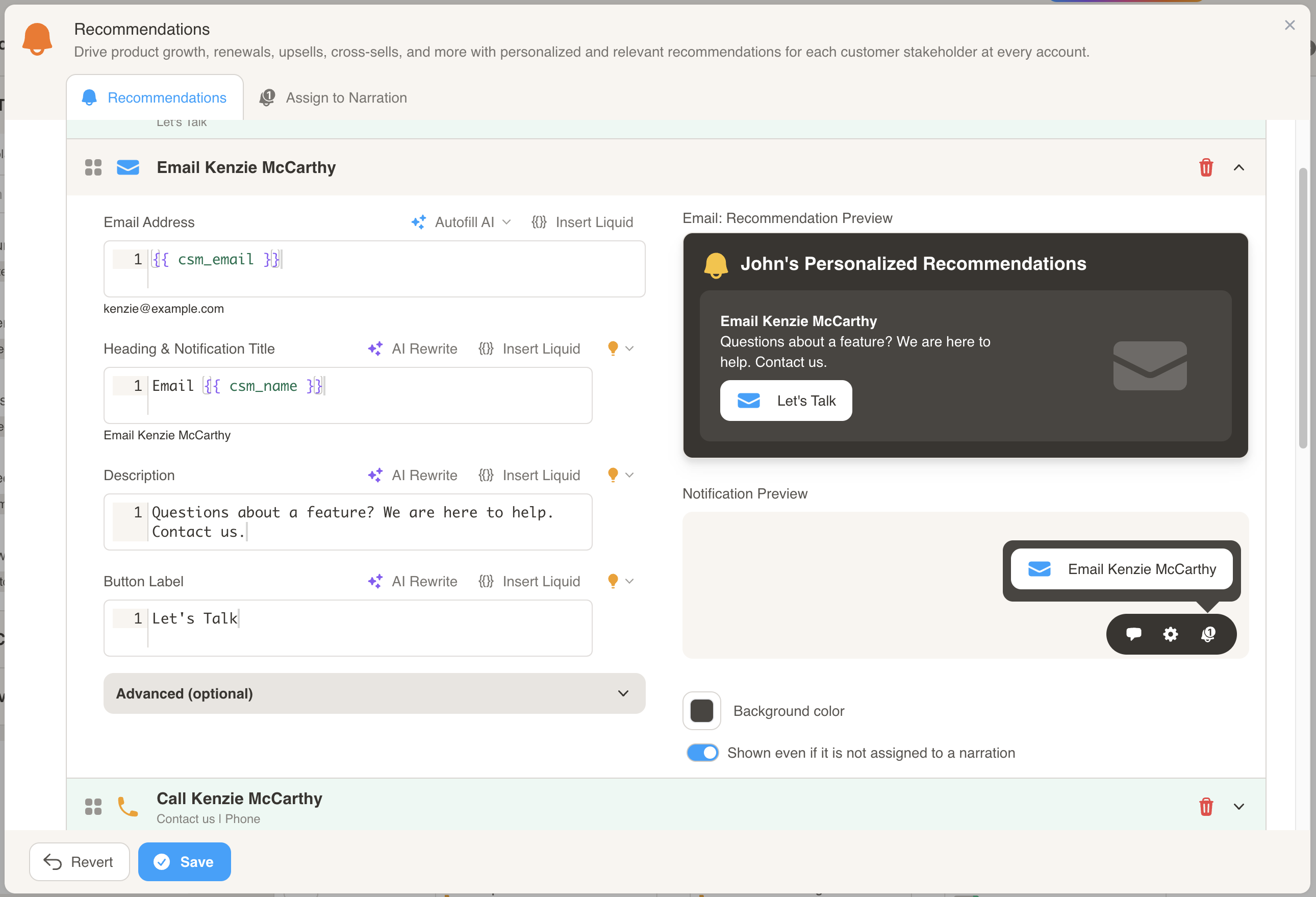
- Enter the email address of the individual to contact.
- Customize the Title, Description, and Button Label to personalize the recommendation.
- You can use Liquid to pipe in any values from the customer data into any of the fields. For example, in the screenshot we are using {% raw %}
{{ csm_email }}and{{ csm_name }}{% endraw %}, to pipe in the Customer Success Manager’s email and name, respectively.
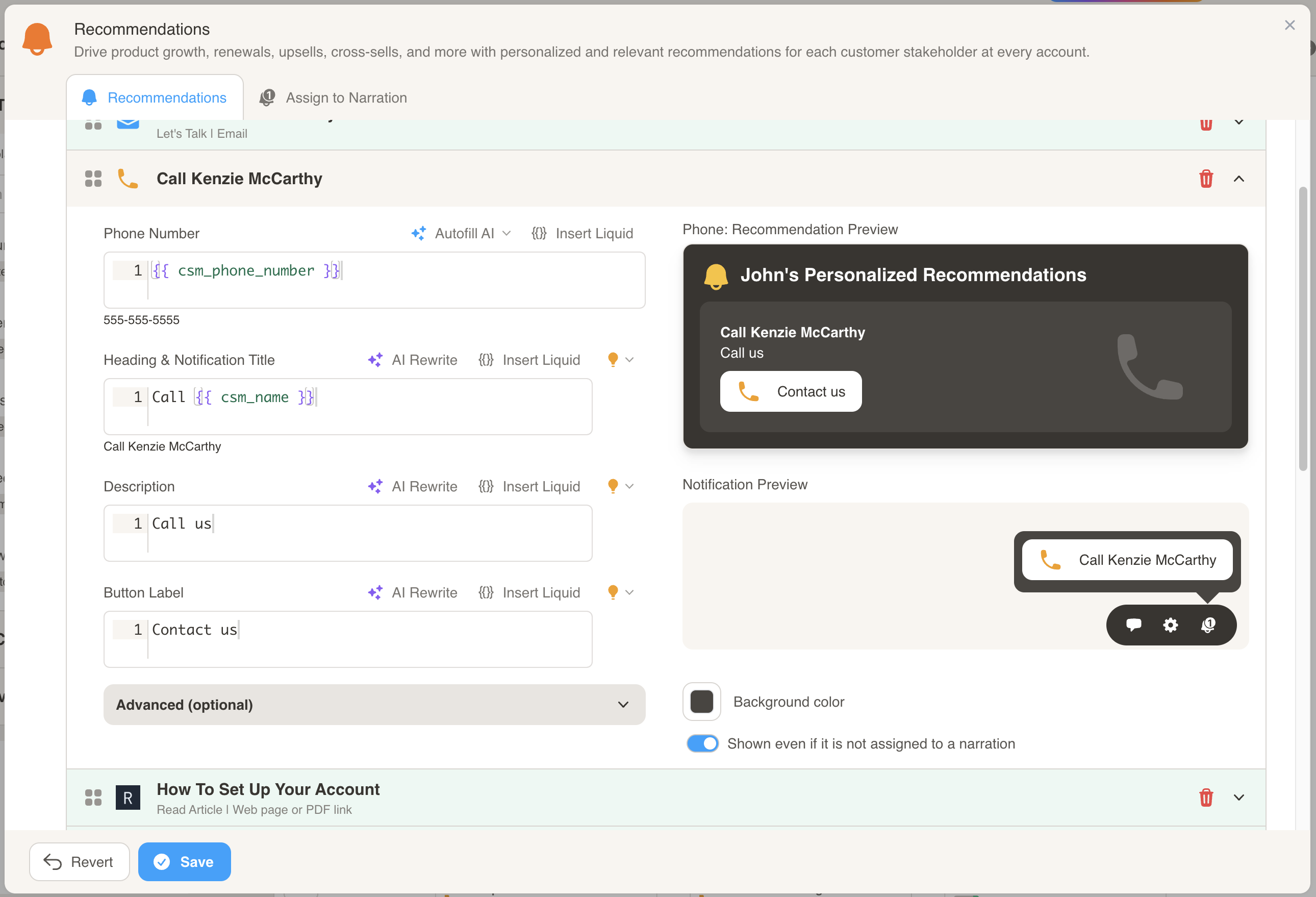
- Enter the phone number of the individual to contact.
- Customize the Title, Description, and Button Label to personalize the recommendation.
- You can use Liquid to pipe in any values from the customer data into any of the fields. For example, in the screenshot we are using {% raw %}
{{ csm_phone_number }}and{{ csm_name }}{% endraw %}, to pipe in the Customer Success Manager’s phone number and name, respectively.