
Universal Query
Dataset Type - Universal Query
Section titled “Dataset Type - Universal Query”You may create a new dataset by querying existing datasets. This feature is particularly useful if you would like to modify your exisitng data or join data from two datasets, even across very large datasets.
- Click on Home —> Datasets.
- Click on the “+ Add New Dataset” button, and select “Universal Query”.
- Enter the SQL query you would like to perform, and press the Run Query button. There are a few examples of queries to follow below.
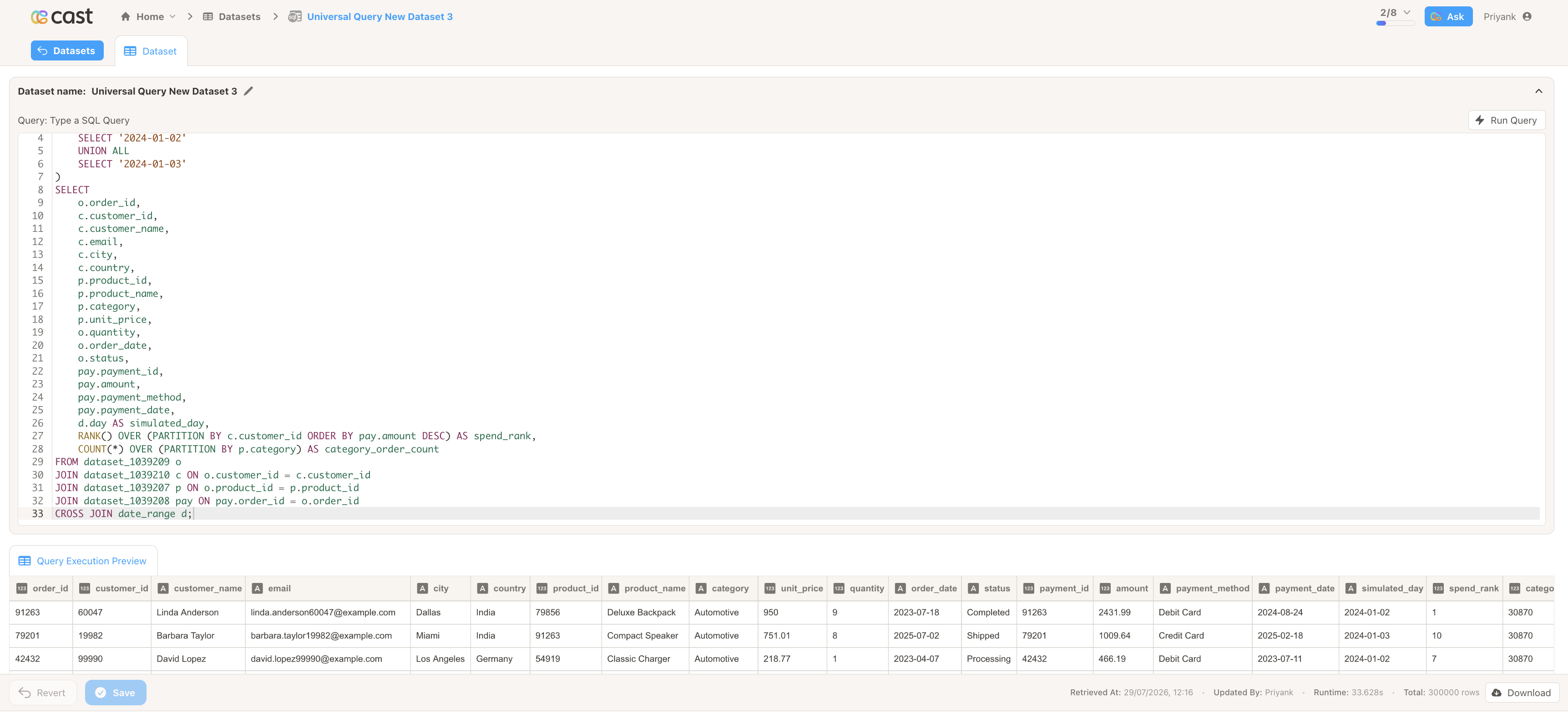
- Check the Query Execution Preview. When you are satisfied, give your new dataset a name and press the Save button.
Query syntax notes
Section titled “Query syntax notes”- Identifiers. Use a bare alias, e.g.
AS Dataset_Name, not a double-quoted one, e.g.AS "Dataset_Name"— a double-quoted alias is read as a text value, not a name. Use backticks (`like this`) if you need to quote an identifier. Column and dataset names may only contain letters, numbers, and underscores, and can’t start with a number — replace any other character with an underscore. - Types. Implicit type conversion is strict, so use explicit
CAST(... AS ...)calls when combining columns of different types.
Example Queries
Section titled “Example Queries”Clean up data
Section titled “Clean up data”SELECT -- Replace with the columns from your dataset id, name, CASE WHEN gender = 'Male' THEN 'M' WHEN gender IS NULL THEN 'U' WHEN gender = '' THEN 'U' ELSE 'F' END AS gender_no_emptyFROM -- Replace with your dataset dataset_XXXXX AS Dataset_Name;Rename columns
Section titled “Rename columns”SELECT -- Replace with the columns to rename from your dataset internal_id AS idFROM -- Replace with your dataset dataset_XXXXX AS Dataset_Name;Pivot dataset
Section titled “Pivot dataset”SELECT category, -- get the category column SUM(CASE WHEN quarter = 'Q1' THEN amount ELSE 0 END) AS Q1, -- pivot Q1 sales SUM(CASE WHEN quarter = 'Q2' THEN amount ELSE 0 END) AS Q2, -- pivot Q2 sales SUM(CASE WHEN quarter = 'Q3' THEN amount ELSE 0 END) AS Q3, -- pivot Q3 sales SUM(CASE WHEN quarter = 'Q4' THEN amount ELSE 0 END) AS Q4 -- pivot Q4 salesFROM -- Replace with your sales dataset dataset_XXXXX AS Sales_Dataset_NameGROUP BY category;Join data from two datasets
Section titled “Join data from two datasets”-- Get the customer's name and the count of their support ticketsSELECT Customers_Dataset.name, COUNT(Tickets_Dataset.id) AS ticket_countFROM -- Replace with your customers dataset dataset_XXXXX AS Customers_DatasetJOIN -- Replace with your tickets dataset dataset_XXXXX AS Tickets_DatasetON Customers_Dataset.id = Tickets_Dataset.customer_idGROUP BY Customers_Dataset.id;