Custom Cast Filters
Custom Cast Filters
Section titled “Custom Cast Filters”cast_highlight
Section titled “cast_highlight”Highlights specific text in a Cast narration box.
Input: {% raw %}
This {{ "text" | cast_highlight }} is highlighted.{% endraw %} Output:
This text is highlighted.
- Inside narrations, select the text you would like to highlight and press the highlight button.
- The cast_highlight filter will be applied. You can see the change reflected in the preview below.
cast_footnote
Section titled “cast_footnote”Adds a footnote at the cursor position.
Input: {% raw %}
This text has a footnote {{ "This is the footnote" | cast_highlight }} at the bottom of the page.{% endraw %} Output: {% raw %}
This text has a footnote¹ at the bottom of the page.
1 This is the footnote
{% endraw %}
- Inside narrations, move the cursor to where you want the footnote to be inserted.
- Add the text you want to display in the footnote. You can see the change reflected in the preview below.
cast_pronounce
Section titled “cast_pronounce”Make the narrator say words the way you want.
What it does:
- Fixes tricky names, acronyms, and numbers so they sound right in audio.
How to set it up:
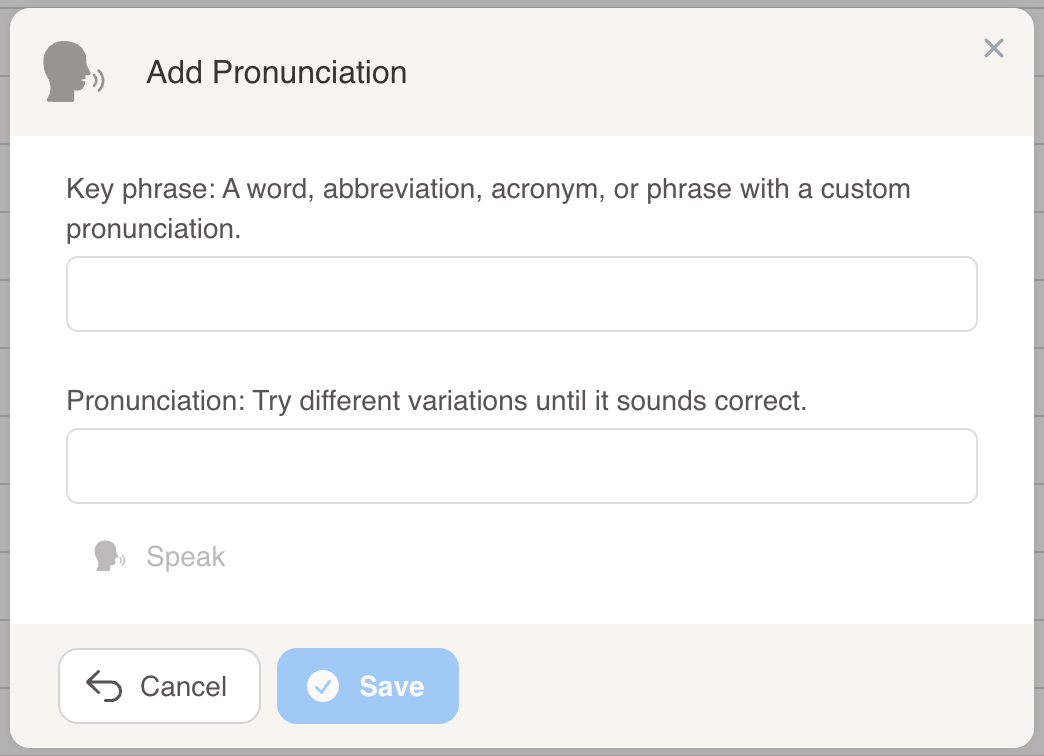
- In Cast, go to Projects > Project Workflow > Pronunciations and add the word and how it should be spoken.
Use it in your narration: {% raw %}
Contact your {{ "CSM" | cast_pronounce }}.Our {{ "AI" | cast_pronounce }} system helps with {{ "ROI" | cast_pronounce }}.{% endraw %}
Examples:
- Text shows: Contact your CSM. → Audio says: Contact your Customer Success Manager.
- Text shows: Our AI system helps with ROI. → Audio says: Our artificial intelligence system helps with return on investment.
Real-life scenarios:
{% raw %}
Hi {{ first_name }}, let's review your {{ "Q3" | cast_pronounce }} {{ "NPS" | cast_pronounce }} scores and discuss the {{ "API" | cast_pronounce }} integration timeline.
Your {{ "MRR" | cast_pronounce }} has grown by {{ growth_percentage }}% since our last {{ "QBR" | cast_pronounce }}.
We've identified {{ risk_count }} accounts with {{ "SLA" | cast_pronounce }} concerns that need immediate attention from your {{ "CSM" | cast_pronounce }}.
{% endraw %}
Tip: You can also add a pronunciation right in the narration editor. Highlight the word, click Pronounce, type how it should be said, and save. If the word already has a saved pronunciation, it will be used automatically.
### Easy options for clearer speech
Use these add‑ons when you want numbers and codes spoken clearly.
Version (“version”)
- Reads version numbers with dots as “point”. {% raw %}
{{ "1.2.3.4" | cast_pronounce: "version" }} → 1 point 2 point 3 point 4{{ "1.2.3" | cast_pronounce: "version" }} → 1 point 2 point 3{% endraw %}
Number pairs (“number_pair”)
- Breaks long numbers into easy‑to‑hear pairs. {% raw %}
{{ "380" | cast_pronounce: "number_pair" }} → 3 80{{ "346780" | cast_pronounce: "number_pair" }} → 34 67 80{% endraw %}
By character (“by_char”)
- Spells out letters and numbers one by one. {% raw %}
{{ "CSM123" | cast_pronounce: "by_char" }} → C S M 1 2 3{{ "ROI 2024" | cast_pronounce: "by_char" }} → R O I 2 0 2 4{% endraw %}
Apply all your pronunciations to a whole sentence
Section titled “Apply all your pronunciations to a whole sentence”Instead of adding cast_pronounce to each word separately, you can tell Cast to scan an entire sentence and automatically apply all the pronunciations you’ve saved.
- Use “all” to scan the entire text.
- Choose how to match words:
- “strict” (default): match whole words only. Example: finds “QBR”, but not inside “QBRTEMPLATE”.
- “loose” or “partial”: also match parts of words. Example: finds “QBR” inside “QBRTEMPLATE”.
- Existing
<sub>tags are left alone so the HTML stays clean.
{% raw %}
{{ text | cast_pronounce: "all" }}{{ text | cast_pronounce: "all", "loose" }}{{ text | cast_pronounce: "all", "partial" }}{% endraw %}
Examples
{% raw %}
{%- assign message = "Your CSM will review the QBR with key stakeholders to discuss ROI improvements" -%}{{ message | cast_pronounce: "all" }}{% endraw %}
Difference between “strict”, “loose”, and “partial” modes:
{% raw %}
{%- assign text = "Schedule a QBR meeting and send the QBRTEMPLATE to stakeholders" -%}
{{ text | cast_pronounce: "all" }}           → Schedule a quarterly business review meeting and send the QBRTEMPLATE to stakeholders{{ text | cast_pronounce: "all", "loose" }}  → Schedule a quarterly business review meeting and send the quarterly business review TEMPLATE to stakeholders{{ text | cast_pronounce: "all", "partial" }} → Schedule a quarterly business review meeting and send the quarterly business review TEMPLATE to stakeholders
{% endraw %}
-
“strict” (default): Only matches whole words. “QBR” in “QBRTEMPLATE” is ignored.
-
“loose” or “partial”: Also matches parts of words. “QBR” in “QBRTEMPLATE” gets pronounced.
-
With a list like
{ "CSM": "customer success manager", "QBR": "quarterly business review", "ROI": "return on investment", "CRM": "customer relationship management" }, words such asCSM,QBR, andROIwill be spoken the way you set. Overlaps are handled smartly (for example, longer matches take priority).
More examples:
{% raw %}
{{ "SLA" | cast_pronounce }} → service level agreement{{ "NPS" | cast_pronounce }} → net promoter score{{ "ARR" | cast_pronounce }} → annual recurring revenue{{ "987654" | cast_pronounce: "number_pair" }} → 98 76 54{{ "2.1.5" | cast_pronounce: "version" }} → 2 point 1 point 5{% endraw %}
Notes
- If you do not choose a match mode, “strict” is used.
- Matching respects upper/lower case.
- If nothing matches, your text stays the same.
cast_titlecase
Section titled “cast_titlecase”Converts a company name (or any string) from all-caps to proper title case, with smart handling for acronyms, legal suffixes, English particles, possessives, and hyphenated names.
What it does:
- Converts ALL CAPS input to title case:
ACME INDUSTRIES→Acme Industries - Keeps known acronyms fully uppercase:
LLC,PLC,AG,SA,NV,US,UK,EU,AI,API,R&D,AT&T, and more - Handles legal suffixes correctly:
GmbH,Inc,Corp,Ltd,Co, etc. - Lowercases English particles (NY Times rules):
of,the,and,at(unless the first word) - Handles Mc/Mac prefixes:
MCDONALD→McDonald,MCCARTHY→McCarthy - Handles possessives and apostrophes:
O'NEILL→O'Neill,MCCARTHY'S→McCarthy's - Handles hyphenated names:
SMITH-JONES GROUP→Smith-Jones Group - Throws an error if the value is empty or whitespace-only
Input: {% raw %}
{{ "ACME INDUSTRIES" | cast_titlecase }}{{ account_name | cast_titlecase }}{% endraw %}
Output:
Acme IndustriesCommon examples:
{% raw %}
{{ "BANK OF AMERICA" | cast_titlecase }} → Bank of America{{ "ACME LLC" | cast_titlecase }} → Acme LLC{{ "ACME GMBH" | cast_titlecase }} → Acme GmbH{{ "BARCLAYS PLC" | cast_titlecase }} → Barclays PLC{{ "SIEMENS AG" | cast_titlecase }} → Siemens AG{{ "GLOBAL CORP" | cast_titlecase }} → Global Corp{{ "JONES LTD" | cast_titlecase }} → Jones Ltd{{ "AT&T MOBILITY" | cast_titlecase }} → AT&T Mobility{{ "MCDONALD CORP" | cast_titlecase }} → McDonald Corp{{ "O'NEILL ASSOCIATES" | cast_titlecase }} → O'Neill Associates{{ "SMITH-JONES GROUP" | cast_titlecase }} → Smith-Jones Group{{ "AI SOLUTIONS" | cast_titlecase }} → AI Solutions{{ "US BANK" | cast_titlecase }} → US Bank{% endraw %}
cast_apostrophe
Section titled “cast_apostrophe”Inserts an apostrophe based on the string that is passed in.
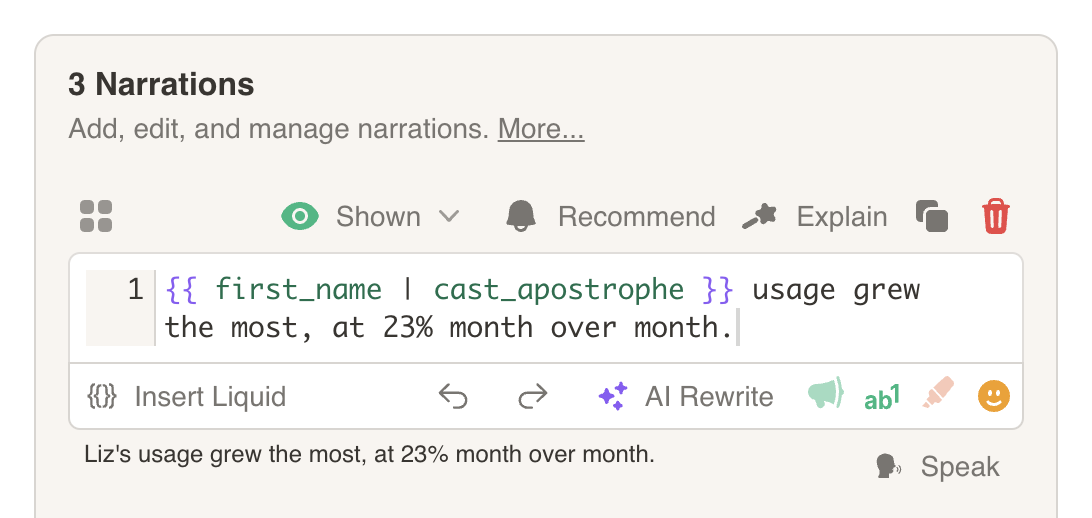
This is useful when using a name variable that can change.
Enter in narration box: {% raw %}
Let's take a look at {{ "Mike" | cast_apostrophe }} progress.{% endraw %}
Output:
Let's take a look at Mike's progress.In the example below, the variable first_name can change quite frequently. Here are a few instances where cast_apostrophe will update based on the value for first_name.
first_name: James
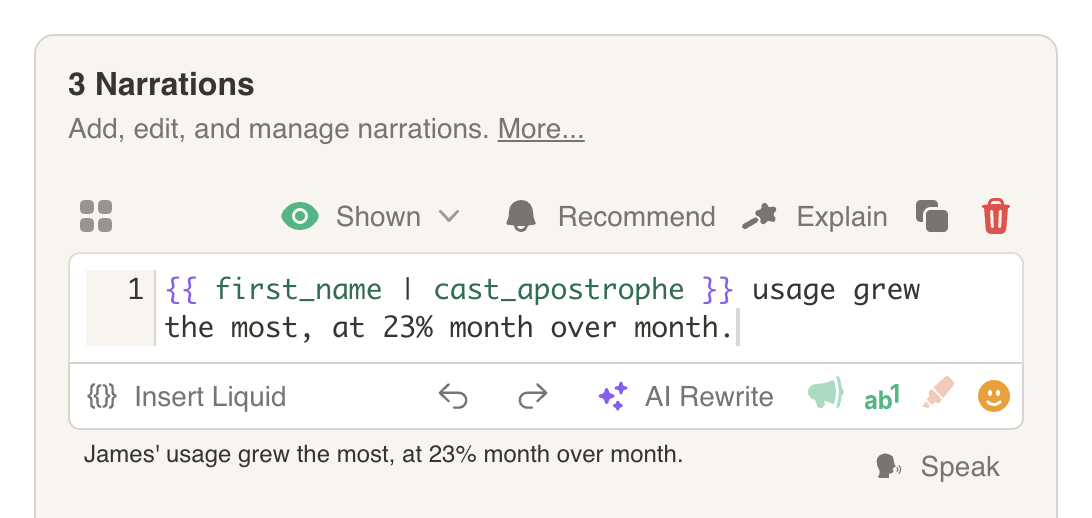
first_name: Liz