
lc_rings
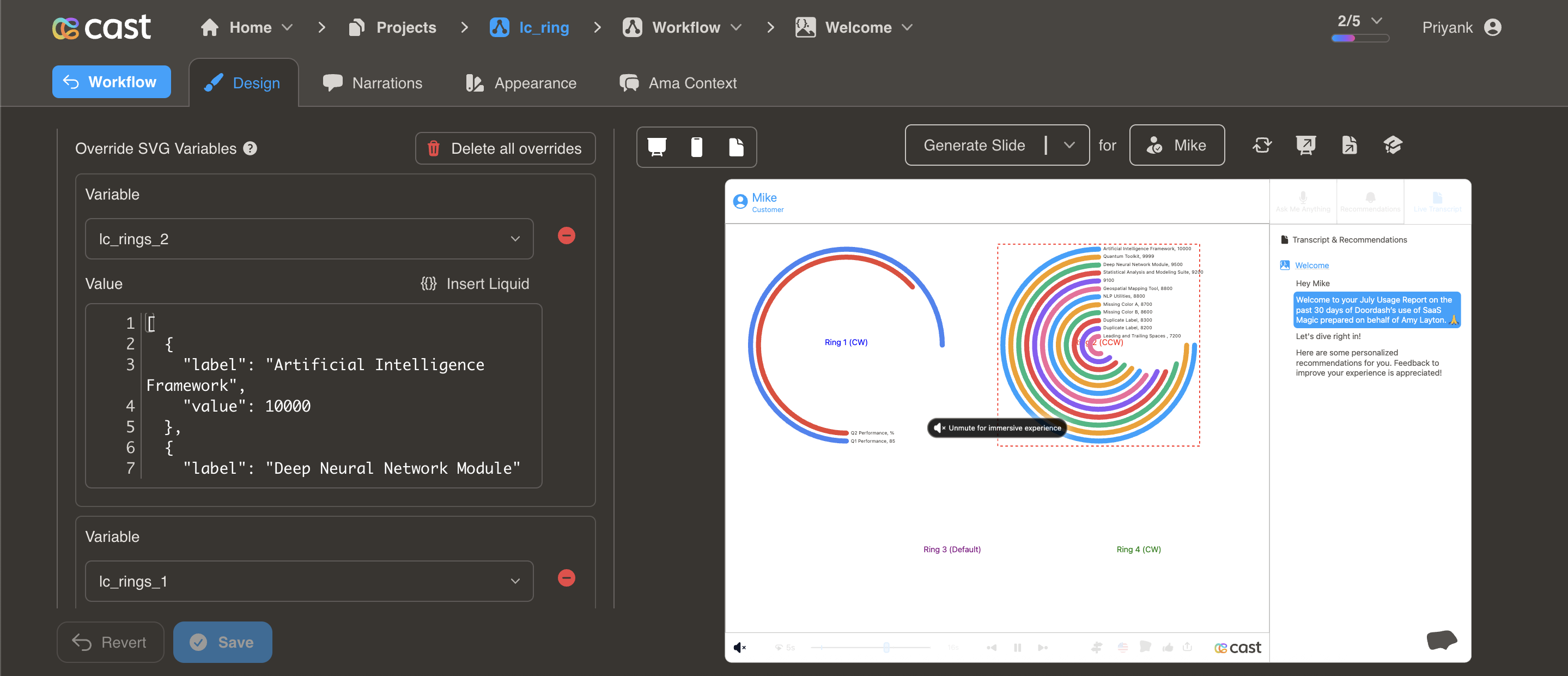
Display hierarchical or comparative data in concentric ring format. Ideal for showing multiple data points with emphasis on top performers through ring positioning.
Element Setup
Section titled “Element Setup”Main Element:
- Element type:
<rect> - ID format:
lc_rings_*(e.g.,lc_rings_performance,lc_rings_comparison)
Input Format
Section titled “Input Format”JSON Array of Objects:
[ { "value": 85, "label": "Artificial Intelligence Framework", "color": "#4285F4" }, { "value": 72, "label": "Deep Neural Network Module", "color": "#EA4335" }, { "value": 58, "label": "Machine Learning Pipeline", "color": "#FBBC04" }]Required: value (numeric), label (text). Optional: color (hex, CSS name, or RGB). If omitted, uses project’s color palette.
Automatic Features
Section titled “Automatic Features”- Auto-sorting: Rings automatically sort by value (highest = outermost)
- Maximum rings: Displays up to 12 rings
- Auto-sizing: Ring thickness and spacing calculated automatically
Usage Example
Section titled “Usage Example”{% raw %}
<!-- In your SVG --><rect id="lc_rings_products" width="400" height="400" />
<!-- In your dataset (as JSON string) -->{{ products }} = '[  {"value": 85, "label": "Product A", "color": "#4285F4"},  {"value": 72, "label": "Product B", "color": "#EA4335"},  {"value": 58, "label": "Product C", "color": "#FBBC04"}]'
{% endraw %}
Highlighting Individual Rings
Section titled “Highlighting Individual Rings”When you reference a ring’s label in your narration, that ring highlights (full brightness) while others dim to about 12% brightness. In Cast Designer → Narration → Visual Explanations, add to the liquid block:
- Single ring:
[{"label": "Engineering"}] - Multiple rings:
[{"label": "Q1 Performance"}, {"label": "Q4 Performance"}]