
Language and Avatar
Language and Avatar Customization
Section titled “Language and Avatar Customization”Cast provides separate customization options for language and avatar settings, allowing you to personalize your viewing experience through individual popups.
Language Settings
Section titled “Language Settings”Accessing Language Options
Section titled “Accessing Language Options”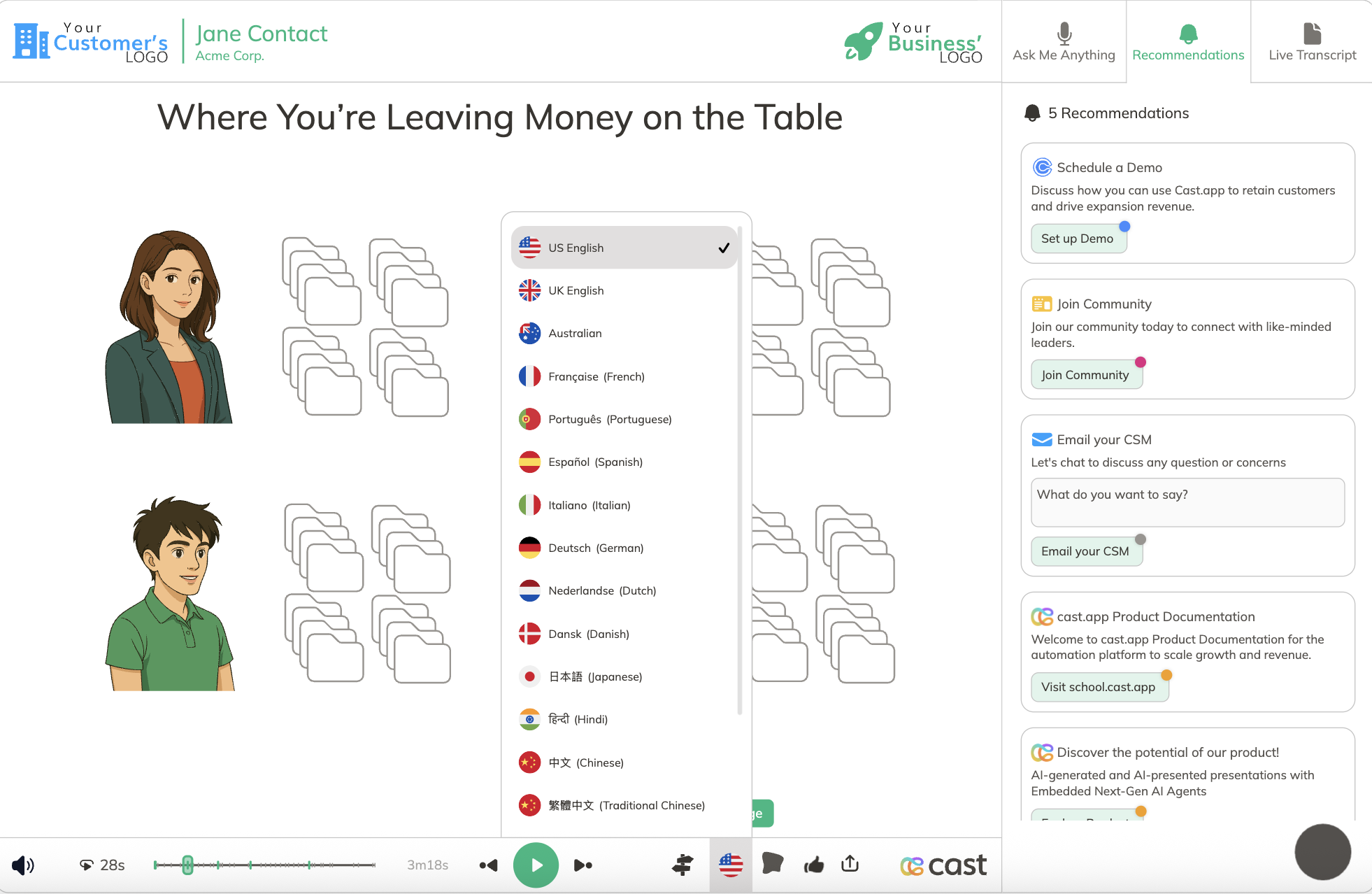
Click the flag icon at the bottom of the player to access the language popup.
Language Features
Section titled “Language Features”- Choose from the available languages for the player
- Language changes are applied immediately
- Preview your Cast in different languages
Avatar Customization
Section titled “Avatar Customization”Accessing Avatar Options
Section titled “Accessing Avatar Options”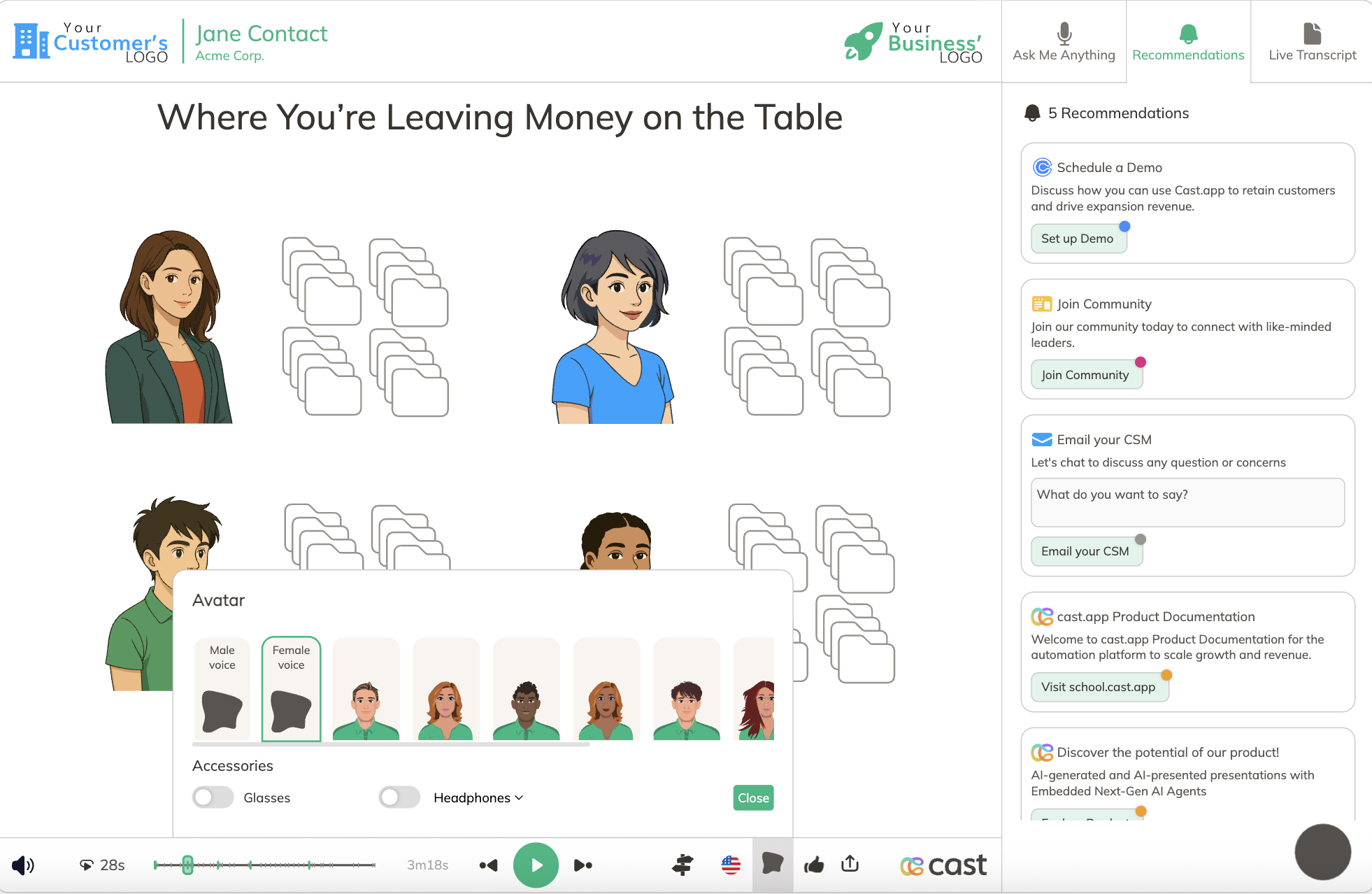
Click the avatar icon at the bottom of the player to access the avatar popup.
Avatar Features
Section titled “Avatar Features”- Pick a new avatar from the options provided
- Customize accessories for the selected avatar
- Avatar and accessory changes are applied immediately
- Personalize your viewing experience
Important Notes
Section titled “Important Notes”Session Persistence: All customizations (both language and avatar) only last for the current session. Settings will revert to those defined in the project settings upon refreshing the page.
Permanent Changes: For permanent changes to language or avatar settings, update the configuration in the Designer.